Now Reading: Automated Testing vs Manual Testing: Which to Use When
-
01
Automated Testing vs Manual Testing: Which to Use When

Overview: Automated Testing vs Manual Testing
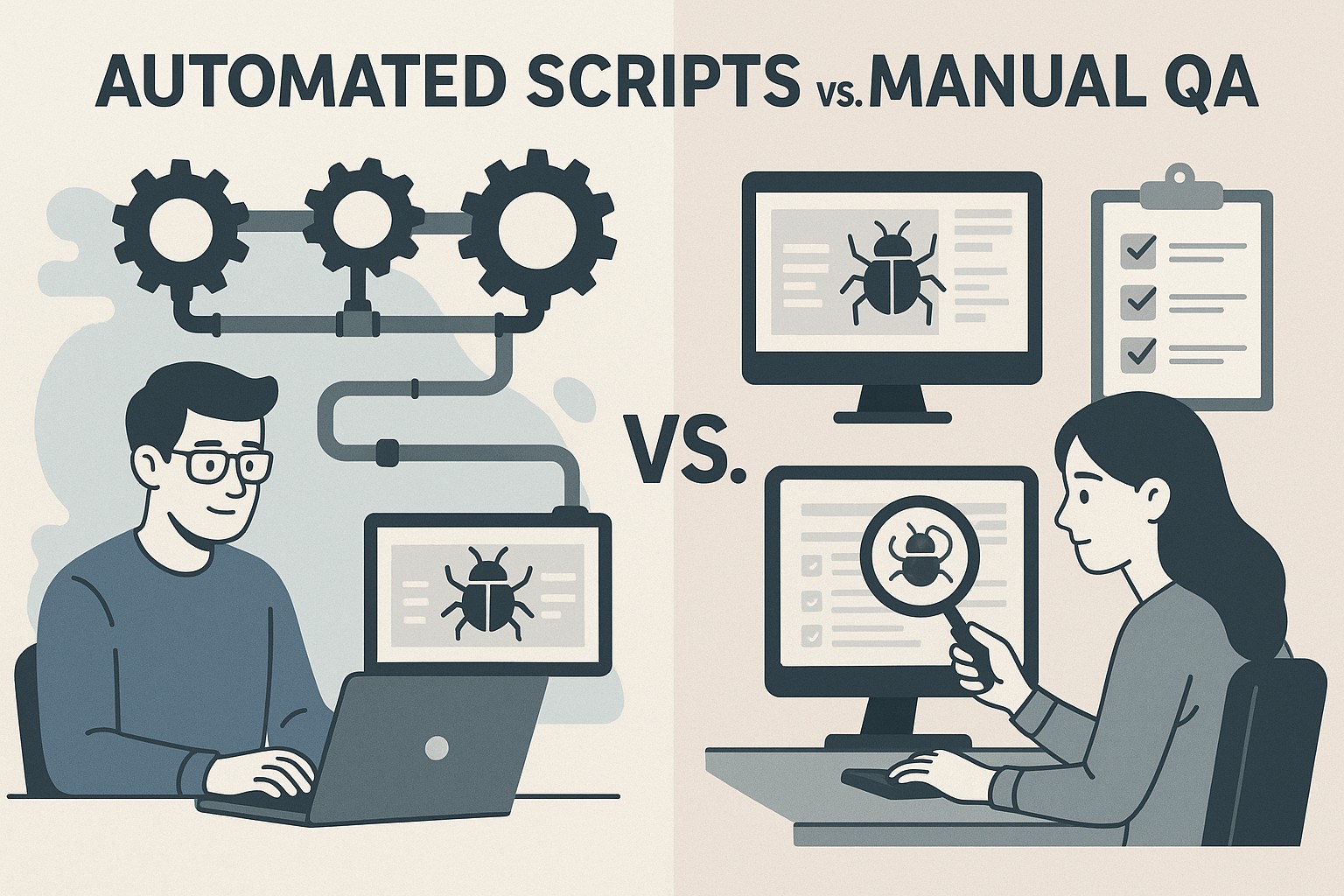
Automated testing and manual testing are not mutually exclusive disciplines; they are complementary capabilities that, when combined strategically, can raise software quality while preserving delivery velocity. Automated testing relies on scripts and tooling to execute predefined test cases with high repeatability, speed, and consistency. Manual testing, by contrast, depends on human judgment, intuition, and domain knowledge to assess product behavior in ways that automation may not anticipate, such as nuanced user experiences or ambiguous requirements.
In practice, teams balance these approaches based on risk, product maturity, and the nature of the feature under test. Automation shines in predictable, data-driven, and high-volume scenarios, where fast feedback and traceable results matter. Manual testing remains essential for exploration, usability evaluation, accessibility checks, and areas where context or creativity is critical. A mature QA strategy aligns automation with business goals, ensuring that automated suites expand coverage without creating brittle or brittle test setups that slow down delivery.
Automation: Where It Delivers the Most Value
When well designed and properly maintained, automated tests enable continuous integration, rapid feedback loops, and scalable validation across multiple environments. They are particularly effective for repetitive, deterministic tasks where the risk of human error is high or where run frequency is a competitive advantage. The following categories consistently benefit from automation because they deliver reliable, measurable outcomes and support governance around release readiness.
- Regression suites that cover stable features and critical workflows, ensuring new changes do not reintroduce old defects
- Smoke tests to quickly verify core functionality after every build or deployment
- Data-driven validation that exercises input permutations and boundary conditions at scale
- API/contract tests to ensure stable interfaces between services and components
- Performance and scalability checks that detect regressions in throughput, latency, or resource usage
Automation should be viewed as an enabling capability rather than a one-time project. It requires an architectural approach that favors modularity, reusable components, and clear ownership. Equally important is robust test data management, reliable environments, and a maintenance mindset to prevent flaky tests from eroding confidence in results.
Manual Testing: When Human Insight Still Matters
Despite rapid advances in automation, human testers bring critical perspectives that are difficult to replicate with scripts alone. Manual testing is indispensable during feature discovery, user onboarding experiences, and scenarios where human judgment matters for intent, aesthetics, or accessibility. Exploratory testing, in particular, leverages tester creativity to uncover issues that scripted tests could miss, often revealing usability gaps, cognitive friction, or surprises in edge cases.
In many organizations, manual testing functions as a guiding force for automation investments—identifying which areas to automate first, validating complex workflows that involve multiple systems, and providing rapid feedback during the early stages of feature rollout. Understanding how users actually interact with the product helps teams prioritize testing efforts and prevents automation from chasing synthetic coverage that does not translate into real value.
- Exploratory testing to uncover usability issues, edge cases, and unexpected user behavior
- Usability and accessibility assessments that reflect real-world interactions and assistive technologies
- Ad-hoc testing for new features, experimental ideas, and speculative bug hunting
- End-to-end workflows that cross multiple services, databases, or third-party integrations
- Feedback-driven testing that incorporates beta program results and real user input
Balancing manual and automated efforts requires clear governance: know what to automate, when to run manual investigations, and how to measure the impact of manual testing on risk reduction. This balance is not static; it evolves as features mature, as the codebase changes, and as team capabilities grow.
Balancing the Approach: A Risk-Based Framework
Rather than pursuing automation for its own sake, a disciplined, risk-based framework helps teams decide what to automate, how often to execute tests, and when manual validation is warranted. This approach aligns testing activities with business priorities, reducing waste and focusing effort on the areas that matter most to customers and stakeholders. Key decisions include when to automate, how to maintain automated tests, and how to measure the impact on release quality and velocity.
Several practical practices support this balance. First, establish an automation blueprint that catalogs feature areas, test types, and ownership. Second, implement a maintenance plan that includes flaky test handling, versioned test data, and a rollback strategy for failing test runs. Third, integrate risk scoring into test planning so that the most critical paths receive appropriate coverage and scrutiny. Finally, align metrics with product milestones to demonstrate progress and ROI to business partners.
- Prioritize tests by business risk, feature criticality, and user impact
- Assign clear ownership for both automated tests and manual exploratory efforts
- Develop a robust data strategy that safeguards privacy and maintains test realism
- Implement processes to identify, diagnose, and remediate flaky tests quickly
- Invest in modular, maintainable test design that supports evolving product requirements
Implementation Considerations: Data, Environments, and Governance
Successful automation depends on stable environments, representative test data, and clear governance. Teams should invest in reliable CI/CD pipelines, synchronized test environments, and data generation techniques that reflect production patterns while protecting sensitive information. Defining meaningful success criteria and aligning test metrics with business objectives helps stakeholders understand the value of automated efforts—not just their technical completeness.
To illustrate how a maintainable automated suite can be structured, consider a simple, modular example that emphasizes setup/teardown discipline and parameterization. The snippet below conveys a skeleton that can be extended into a broader regression library, with a focus on readability and reusability rather than a single-use script.
def setup_environment():
    # Initialize test environment: database, mocks, services
    pass

def teardown_environment():
    # Clean up resources and reset state
    pass

def test_login(username, password):
    # Placeholder for real UI/API calls
    success = login_api(username, password)
    assert success is True

def run_smoke_tests():
    setup_environment()
    try:
        test_login("[email protected]", "securePassword")
        # Additional smoke tests would be added here
    finally:
        teardown_environment()
Machine Learning in Software Testing
Machine learning is increasingly used to augment testing processes without replacing human judgment. In QA, ML can assist with test case prioritization, identify patterns in test failures, predict where defects are most likely to occur, and generate data that resembles real user inputs. When integrated with disciplined governance, ML-driven insights help reduce wasted test runs, focus attention on high-risk areas, and support proactive maintenance of the test suite.
ML-driven QA should augment human testers by surfacing meaningful patterns and anomalies while preserving traceability, explainability, and alignment with regulatory or organizational standards.
Real-World Scenarios: Quick Comparisons
Different product domains demand different blends of automation and manual testing. Large-scale web applications with frequent releases typically rely on robust automated regression and performance testing, while features that are highly dependent on user perception or complex workflows may require more extensive exploratory manual testing during early development. The following table highlights how focus areas vary by project profile and how automation suitability shifts accordingly.
| Scenario | Typical Focus | Automation Suitability |
|---|---|---|
| Public-facing e-commerce platform | Regressive checks, checkout flows, performance under load | High |
| Internal analytics tool with data pipelines | API contracts, data validation, ETL correctness | High |
| Mobile banking app | Security, authentication, accessibility, offline scenarios | Medium |
In practice, the most successful QA strategies are those that provide visible value to product teams. This means not only implementing automation where appropriate but also communicating the outcomes in terms of release readiness, defect leakage, and cycle time improvements. A disciplined approach to balancing automation with manual testing creates a more resilient quality program, capable of adapting to changing requirements, regulatory considerations, and evolving user expectations. The ultimate objective is to deliver confidence to stakeholders that the product will perform well in real-world usage, while maintaining a sustainable pace of development and a clear path for continuous improvement.
FAQ
How should teams decide what to automate vs manual?
Teams should start with a risk-based assessment that weighs business impact, user exposure, and technical complexity. Automate high-frequency, deterministic, and low-variance tests that validate core functionality and critical paths, while reserving manual testing for exploratory work, usability assessments, and scenarios where human judgment drives value. A periodic review—often aligned with release cycles or feature milestones—helps re-prioritize automation investments as the product evolves and new risks emerge.
What are early warning signs of flaky automated tests?
Flaky tests typically manifest as inconsistent results across runs, failures that do not reproduce under the same conditions, and sensitivity to minor changes in timing or environment. Common causes include reliance on real-time clocks, shared state, network instability, inadequate test data isolation, and variable test environments. Addressing flakiness often involves stabilizing setup/teardown, introducing deterministic data, and implementing retry or quarantine strategies with proper logging for root-cause analysis.
How can organizations measure the ROI of automated testing?
ROI can be assessed by tracking metrics such as time-to-feedback, reduction in manual testing effort, defect leakage to production, and changes in release cadence. A holistic view also considers maintenance costs for the test suite, the effort required to diagnose failures, and the reliability gains from early defect detection. Regularly updating these metrics and aligning them with business outcomes—such as revenue impact or customer satisfaction—helps justify automation investments and informs future priorities.