Now Reading: Cloud Backup vs Data Archive: Storage Strategies
-
01
Cloud Backup vs Data Archive: Storage Strategies

Cloud backup: purpose and characteristics
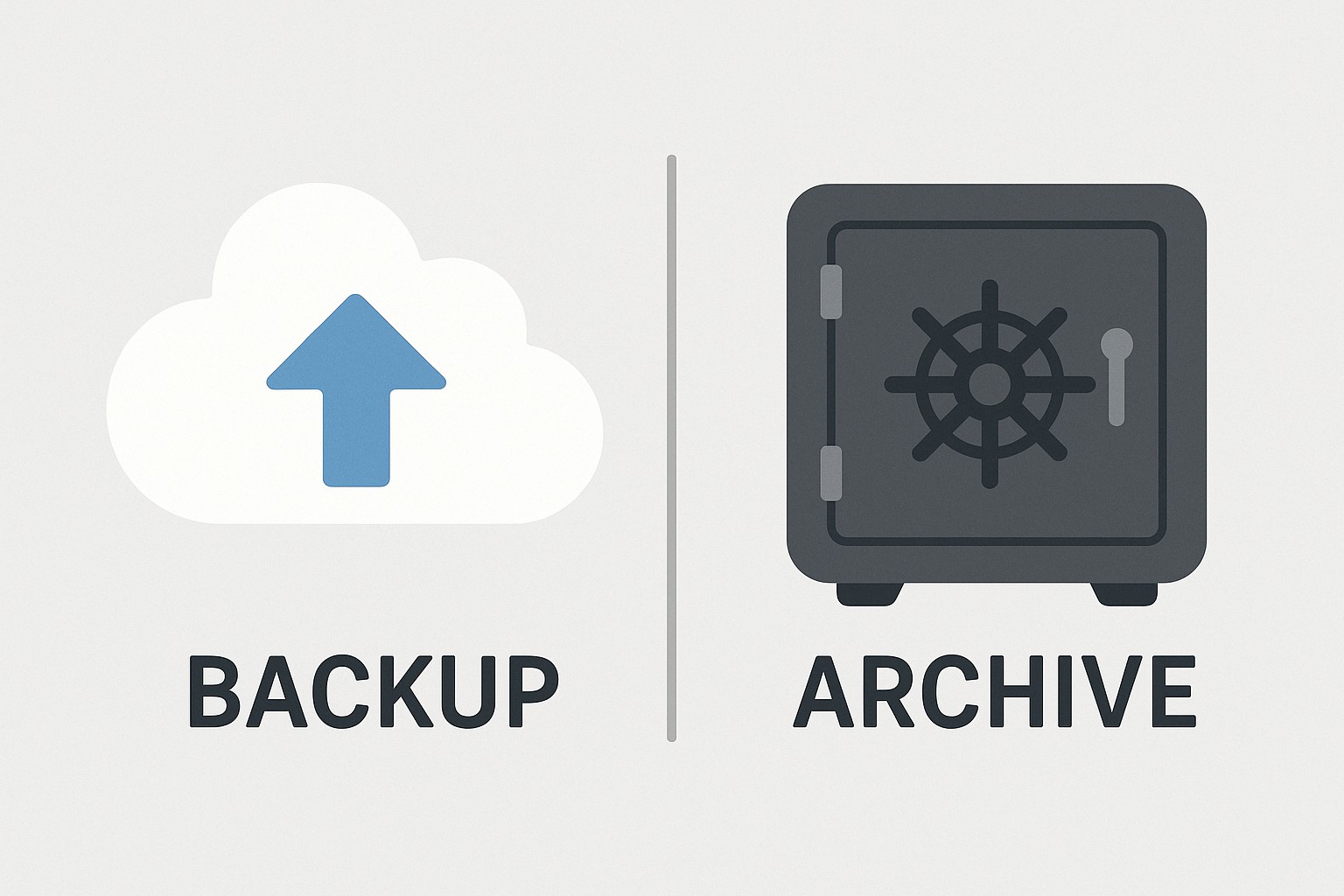
Cloud backup is the practice of making regular, recoverable copies of data and storing them in a remote, typically multi-tenant environment managed by a cloud service provider. The primary objective is to ensure data can be restored after a disruption, whether due to hardware failure, human error, ransomware, or natural disasters. In most programs, backups are time-stamped, versioned, and designed to support rapid recovery for active datasets. This means organizations often configure frequent snapshotting—daily, hourly, or even more granularly—to minimize data loss. Importantly, cloud backups emphasize availability and resiliency, with architectures that mirror production data or apply deduplication, compression, and incremental transfer to optimize bandwidth and storage consumption. At rest and in transit, data is typically encrypted, and many providers offer immutable storage options to guard against tampering or ransomware, alongside access controls and activity auditing to support governance needs.
Backups are not a substitute for long-term retention; instead, they complement it by enabling recovery from recent points in time. They commonly include options for full restores of entire systems, as well as granular recoveries of files, databases, or application objects. Backup workflows routinely incorporate testing and verification—restoring samples to validate integrity—and automated verification checks to ensure that recoveries meet defined Recovery Point Objectives (RPO) and Recovery Time Objectives (RTO). In practice, organizations rely on cloud backups to shorten downtime after an incident and to provide redundancy for critical workloads across regions, while also taking into account compliance obligations that require retention windows, encryption, and auditable access. Security controls—encryption keys, role-based access, and audit trails—play a central role, because backup data can become a high-value target for attackers if not properly protected.
- Fast restore options for recent data to minimize downtime
- Point-in-time recovery to roll back to known good states
- Granular recovery across files, databases, and application objects
- Immutable backups and versioning to resist tampering
- Geographic redundancy to withstand regional outages
- Lifecycle policies and automated retention controls to manage costs
Data archiving fundamentals
Data archiving, by contrast, focuses on long-term retention of infrequently accessed data that must be preserved for compliance, historical analysis, or legal purposes. Archival storage is designed for cost efficiency and durability, often leveraging colder tiers or specialized archival services that optimize for low retrieval frequency rather than fast access. Archives typically prioritize data immutability, metadata richness for discoverability, and robust retention policies aligned with regulatory mandates. Because retrieval times can be longer and data may need to be reconstructed from older formats or legacy systems, organizations implement indexing, metadata tagging, and strong search capabilities to ensure that archived assets remain discoverable when needed. The goal is to minimize the ongoing cost of storage while preserving the integrity and accessibility of assets such as old customer records, transactional logs, and historical datasets that are not part of day-to-day operations but must be retained for audits or post-hoc analysis.
Effective archiving also involves disciplined data lifecycle management: classifying data by value and access frequency, applying retention periods that comply with industry standards, and choosing storage tiers that balance durability, accessibility, and cost. Organizations should consider the formats and portability of archived data, the ease of export for litigation holds, and the ability to migrate archives to new platforms without substantial rehydration costs. Importantly, archiving is not a cure for urgent restores; rather, it creates a sustainable approach to meeting long-term obligations while freeing primary storage and reducing operational overhead associated with keeping rarely used data online.
- Classify data by access frequency, business value, and regulatory requirements
- Define retention periods and legal holds for each data category
- Choose a storage tier and provider that supports immutability and efficient retrieval when needed
- Tag metadata and ensure searchability to enable discovery and audits
- Automate lifecycle policies to move data into archival storage and sunset outdated records
Cost considerations, security, and operational trade-offs across both strategies
Cost in cloud environments is influenced by more than just the per-GB price. For backups, ongoing storage, frequent data transfer, and timely recoveries can drive higher costs, especially if retention windows are short and RPO targets are aggressive. Egress fees for restores, cross-region replication, and the overhead of encryption key management add layers of expense that compound over time. In archival scenarios, the headline storage price is typically lower, but retrieval costs, data retrieval latency, and potential complex migrations back to online systems can offset savings if access needs change. A well-designed program balances these factors by aligning retention periods with business and regulatory requirements, leveraging deduplication and compression, and using tiered storage that shifts data between hot, warm, and cold layers as access patterns evolve.
Security and compliance are inseparable from cost considerations. Encryption at rest and in transit, key management with strict access controls, and regular access auditing are essential for both backups and archives. Immutable storage options help protect against ransomware and insider threats, while role-based access policies and multi-factor authentication reduce the risk of unauthorized operations. Governance practices—such as quarterly reviews of retention policies, automated policy enforcement, and routine disaster recovery testing—prevent drift between policy and practice. Operationally, a hybrid approach that combines frequent cloud backups for rapid recovery with long-term archival storage for compliance can deliver resilience without creating unsustainable budgets.
- Consider total cost of ownership, including storage, egress, and lifecycle management
- Evaluate data growth trends and apply tiered storage to optimize spend
- Assess security controls, encryption, key management, and immutability options
What is the key difference between cloud backup and data archiving?
Cloud backup is designed to protect against data loss by maintaining recoverable copies of current and recent data, enabling fast restoration after incidents. Data archiving, on the other hand, preserves data for long-term retention and compliance, with a focus on cost efficiency and eventual retrieval rather than immediate restoration. Backups emphasize availability and resiliency, while archives emphasize durability, governance, and historical value.
When should you prefer cloud backup over archiving, or vice versa?
Choose cloud backup when your primary concern is rapid recovery from data loss, short RPOs, and the ability to restore whole systems or critical objects quickly. Opt for data archiving when data is infrequently accessed but must be retained for regulatory or business reasons, needs to be searchable, and can tolerate slower retrieval times. In many mature programs, organizations implement both in a complementary fashion—backups for disaster recovery and archives for long-term governance.
How do cost considerations typically differ between these strategies?
Backups often incur higher ongoing storage and transfer costs due to frequent snapshots, replication, and the need for fast recoveries. Archives emphasize low per-GB storage costs but may incur higher retrieval costs and longer latency when data is accessed. A blended approach using tiered storage and automated data lifecycle rules can minimize total costs while meeting both recovery objectives and retention requirements.
How can security and compliance be ensured across both?
Apply end-to-end encryption, strict access controls, and robust key management for both backups and archives. Implement immutable or write-once storage where supported, maintain comprehensive audit logs, and enforce policy-driven retention. Regularly test restores and perform compliance audits to verify that data remains accessible, intact, and in compliance with applicable regulations.
What are best practices to implement both strategies in a data management program?
Adopt a data classification framework that distinguishes data by value and access needs, define clear retention policies aligned with legal requirements, and deploy automated lifecycle workflows that move data between storage tiers as its value diminishes. Invest in metadata governance and searchability to ensure archived data remains accessible for audits or discovery. Finally, establish routine disaster recovery testing, monitor cloud provider security postures, and maintain documentation that demonstrates compliance and operational readiness.