Now Reading: Comparing the Top BI Tools: Tableau vs Power BI vs Looker vs More
-
01
Comparing the Top BI Tools: Tableau vs Power BI vs Looker vs More


Overview of Leading BI Tools
In the modern analytics stack, organizations rely on a mix of BI platforms to empower data-driven decision making across departments. The landscape includes tools that excel in fast, self-service visualization, others that offer deep data modeling and governance, and several that bridge the gap between enterprise data warehouses and executive dashboards. The goal is to balance speed to insight with governance, security, and scale. This article compares Tableau, Power BI, Looker, Sisense, and a broader set of alternatives to help executives and practitioners choose a starting point and a path for expansion.
Tools in this comparison cover a spectrum of strengths: Tableau is renowned for its rich visualization capabilities and ad hoc exploration; Power BI leverages the Microsoft ecosystem for cost-effective adoption in many enterprises; Looker emphasizes data modeling and consistent metrics through LookML and strong cloud-native deployment; Sisense focuses on embedded analytics and scalable data fusion across diverse data sources; and other players like Qlik and MicroStrategy bring their own blends of associative data modeling, governance, and large-scale deployment. Together, they illustrate the tradeoffs between ease of use, depth of modeling, and enterprise governance. The practical takeaway is that there is no single “best” tool for all scenarios; the optimal choice depends on data architecture, user personas, data governance requirements, and the desired speed of insight.
– Tableau
– Power BI
– Looker
– Sisense
– Qlik
– MicroStrategy
Key Evaluation Criteria
When evaluating BI platforms, most organizations weigh a common set of criteria that map to both business outcomes and IT constraints. The goal is to identify a tool whose capabilities align with how data is prepared, governed, and consumed. Beyond feature lists, the assessment should consider total cost of ownership, integration with existing data stacks, and the ability to support future analytics use cases such as augmented intelligence, predictive insights, and embedded analytics.
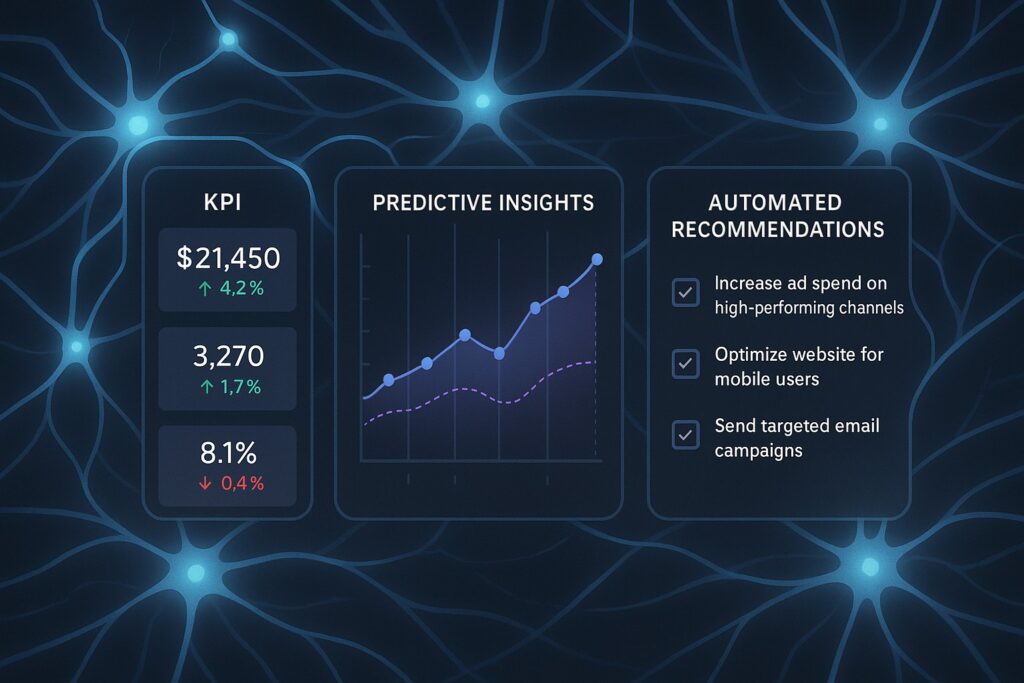
1) Total cost of ownership and licensing model: evaluate per-user vs per-capacity pricing, maintenance fees, and the cost of data governance layers. 2) Ease of use and speed of adoption: consider onboarding time for analysts and business users, as well as the intuitiveness of the authoring experience. 3) Data modeling and transformation capabilities: assess data preparation, join semantics, derived metrics, and the ability to enforce a single version of truth. 4) Data governance, security, and compliance: review access controls, lineage, audit trails, and support for regulatory frameworks. 5) Visualization quality and interactivity: examine storytelling, interactivity, performance when filtering large datasets, and the variety of visualization options. 6) Platform extensibility and ecosystem: evaluate connectors, APIs, and the ease of embedding dashboards in portals and apps. 7) Deployment options and performance at scale: contrast cloud, on-premises, and hybrid options, plus capabilities for large concurrent user loads. 8) AI/ML features and automation: look for automatic insights, natural language queries, and model-assisted analytics that augment human judgment.
Side-by-Side Feature Comparison
The table below summarizes core capabilities that most buyers consider when selecting among Tableau, Power BI, Looker, Sisense, and other leading BI platforms. It focuses on features, deployment options, and governance characteristics that matter for mid-market and enterprise environments.
| Tool | Core Strengths | Licensing Model | Data Modeling Capabilities | Visualization & Dashboards | Deployment Options | Governance & Security | AI/Automation |
|---|---|---|---|---|---|---|---|
| Tableau | Rich visual analytics, flexible exploration, strong storytelling | User-based and core-based options; scalable for large teams | Robust data blending; supports semantic layer via Hyper, strong aggregation | Advanced visuals, interactive dashboards, storytelling | Cloud and on‑premise; strong performance with extract- and live-connection modes | Granular permissions, row-level security, lineage in enterprise environments | Augmented analytics, smart recommendations, and explainable insights |
| Power BI | Cost-effective within Microsoft stack; rapid deployment for enterprises | Per-user licensing; heavy discounts at volume; optimized for O365 ecosystem | Strong data modeling in Power BI Desktop; integrated with Data Lineage | Rich visuals; tight integration with Excel and Teams for collaboration | Cloud-first with on-prem options via gateway; scalable to large user bases | Role-based access, data loss prevention, audit logs, governance features | AI visuals, natural language Q&A, automated insights |
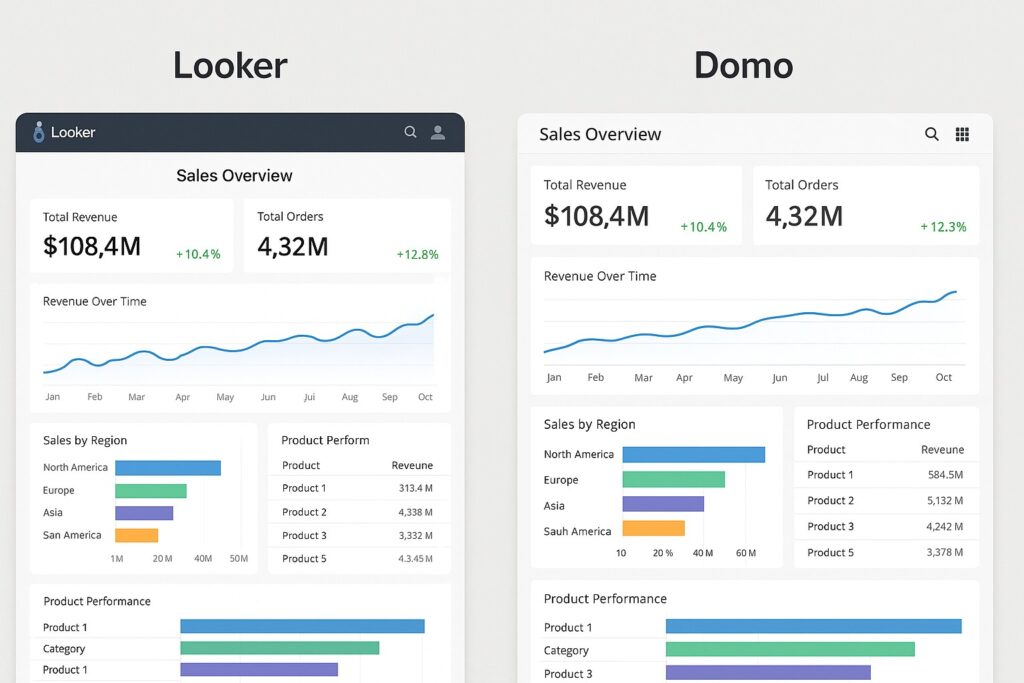
| Looker | Model-driven analytics; centralized metrics and LookML for consistency | Subscription-based by user or capacity; often used in cloud-native stacks | LookML provides a centralized semantic model; strong metric governance | Clean, consistent dashboards; strong embedding and API capabilities | Cloud-native; optimized for modern data warehouses | Comprehensive access controls, data governance, and lineage via models | Looker Blocks, ML integrations, and automated explorations |
| Sisense | End-to-end analytics with embedded analytics and unified data modeling | Per-user or per-role licensing; flexible tiered pricing | In-chip processing, data modeling within the platform; strong ETL/ELT | Strong dashboards and embedded analytics; good for product analytics | Hybrid-cloud options; scalable architecture for large datasets | Comprehensive governance, user provisioning, data security features | AI-assisted insights, automated data preparation, smart visual cues |
| Qlik | Associative data model; fast discovery across disparate sources | Per-user pricing with bundles; enterprise licensing options | Associative engine supports flexible exploration and data modeling | Dynamic dashboards with strong interactivity | Cloud and on-premises; strong in hybrid environments | Granular security, governance, and data lineage capabilities | AI-assisted analytics and guidance features |
| MicroStrategy | Enterprise-grade platform with broad data connectivity | Tiered, user-based licensing; enterprise-grade support | Large-scale data modeling and semantic layers for governance | Enterprise dashboards and reports with rich interactivity | Primarily cloud and on-premises; robust scaling for large deployments | Strong security model, governance, and auditing capabilities | Analytics capabilities with AI-assisted insights and automation |
Deep Dive: Tableau Deep Dive
Tableau remains a preferred choice for analysts who want to explore data visually and tell compelling data stories. Its strength lies in an expansive gallery of visualization types, drag-and-drop authoring, and a powerful client that supports rapid iteration. In practice, Tableau shines when analysts need to pivot quickly, prototype dashboards, and deliver dashboards that are easy for business users to interpret without deep technical training. However, in very large, governance-heavy environments with strict metric definitions, Tableau’s decentralized data blending model can require additional governance discipline to ensure consistency across teams.
For organizations, the practical path often looks like: use Tableau for frontline analytics and executive dashboards where ad hoc exploration is valued; pair it with a semantic layer or centralized data modeling strategy to preserve a single source of truth. Tableau’s integration with data catalogs, data governance tools, and capacity planning features is improving, but it benefits from a clear data governance framework and well-defined data sources to avoid proliferation of ad hoc extracts. In cloud or hybrid deployments, Tableau can leverage modern data warehouses and data lakes to deliver near real-time insights, provided data refresh cadence and extract optimization are managed carefully.
Deep Dive: Power BI Deep Dive
Power BI is widely adopted in organizations already invested in the Microsoft ecosystem, offering tight integration with Excel, Teams, and Azure. The platform emphasizes cost efficiency, broad user adoption, and enterprise-grade governance. The authoring experience in Power BI Desktop is approachable for many business analysts, and the service provides straightforward content sharing, dataflows, and dataset management. Licensing economics are favorable for organizations that can leverage Office 365 SKUs and existing Azure credits, making Power BI a compelling option for large-scale deployment where total cost is a priority.
From a modeling perspective, Power BI leverages its data model to enforce consistent calculations and metrics across reports. The governance features—such as deployment pipelines, row-level security, and lineage—support enterprise-scale deployments, though some organizations opt to couple Power BI with a central semantic layer for uniform definitions. AI-enabled visuals and natural language Q&A provide a familiar way to surface insights without building explicit queries, helping bridge the gap between technical and business users.
Deep Dive: Looker Deep Dive
Looker differentiates itself through its model-driven approach: LookML defines a centralized semantic layer that governs metrics and data relationships. This supports consistent naming, calculations, and aggregations across dashboards and teams, which is especially valuable in larger organizations with diverse data consumers. Looker is particularly strong for cloud-native deployments and modern data stacks, where data warehouses such as BigQuery, Snowflake, and Redshift are leveraged as the single source of truth. The platform excels at embedded analytics and programmatic access via APIs, allowing organizations to embed Looker content into products and business apps with consistent governance.
However, Looker requires an investment in data modeling expertise and LookML development. The payoff comes through standardized metrics, reduced metric drift, and cleaner governance. For teams that prioritize a common metric language and strong data collaboration across departments, Looker provides a scalable path toward a governed analytics layer while enabling a broad set of end-user analytics via dashboards and embedded analytics.
Deep Dive: Sisense Deep Dive
Sisense emphasizes end-to-end analytics with a focus on embedded analytics, data integration, and scalable data modeling. It is well suited for organizations that need to fuse diverse data sources—cloud data stores, on-premises databases, and API feeds—into a single analytics experience. Sisense often appeals to product analytics, operational dashboards, and embedded analytics scenarios where developers need to embed dashboards into applications and portals with performance considerations across large data volumes.
From a governance standpoint, Sisense provides controls for user provisioning, access policies, and data security that support enterprise deployments. Its data modeling capabilities are strong, enabling transformation and enrichment within the platform, which can reduce the need for separate ETL steps in some architectures. As with any platform that supports embedded analytics, performance tuning, caching strategies, and data source optimization are essential to delivering responsive dashboards at scale.
Deployment, Governance, and Security
Across these platforms, deployment options vary from cloud-native services to hybrid configurations and on-premises solutions. A cloud-first approach often reduces infrastructure management overhead and accelerates innovation cycles, but it requires careful attention to data residency, latency, and vendor reliability. Governance and security are increasingly prioritized, with features like role-based access control, data lineage, audit trails, and policy-based security. For regulated industries, integration with identity providers, robust encryption, and detailed auditing become non-negotiable. When selecting a platform, it is prudent to match deployment preferences to the existing IT posture, data architecture, and the organization’s appetite for data democratization versus centralized control.
In practice, adopting any of these tools benefits from a staged governance blueprint: begin with a data catalog, define standard metrics and naming conventions, implement access controls aligned to job roles, and establish a change management process for semantic definitions. As data capabilities mature, teams can extend governance into automated metadata harvesting, lineage visualization, and policy-based data masking to support compliance requirements without sacrificing agility for analytics teams.
FAQ
Which BI tool is best for a small business?
For a small business, Power BI often presents the strongest balance of cost, ease of use, and integration with familiar Microsoft products. Its licensing model and extensive connector ecosystem tend to lower the barrier to entry while still providing enterprise-grade governance and scalability as the business grows.
How do licensing and total cost of ownership typically compare among Tableau, Power BI, Looker, and Sisense?
Power BI generally offers the lowest upfront cost and strong scale within Microsoft environments. Tableau can require higher license fees but delivers advanced visualization capabilities and a rich user experience. Looker emphasizes centralized modeling and governance, which can be cost-effective at scale but may require more specialized modeling resources. Sisense focuses on embedded analytics and data fusion, with pricing that reflects its deployment model and data workloads. Total cost of ownership depends on user counts, data volumes, and the need for data governance investments, so a concrete TCO analysis tailored to the organization is essential.
Is Looker more suitable for cloud-native data and modern data stacks?
Yes. Looker is purpose-built for cloud-native architectures and centralized metric governance. It integrates well with cloud data warehouses and supports scalable data modeling through LookML, making it a natural fit for organizations pursuing a modern data stack and governance-driven analytics across teams.
How should an enterprise approach governance and data lineage across these tools?
A practical governance approach starts with a centralized data catalog, standardized metrics, and a clear ownership model. Implement role-based access controls and data provenance tracing, then enforce a single source of truth for core metrics across tools. When embedding dashboards or distributing analytics, ensure consistent data definitions and versioning to minimize metric drift and align business outcomes with data insights.
Which tool tends to perform best for complex analytics and large data volumes?
MicroStrategy and Looker are often favored for large-scale, governance-heavy analytics due to their enterprise-grade architecture and centralized modeling capabilities. Tableau and Power BI perform strongly in interactive analysis and broad distribution, but for extremely large datasets with strict governance requirements, a model-driven approach (Looker) or a robust enterprise platform (MicroStrategy) can yield more consistent results at scale.