Now Reading: Looker vs Domo: BI Tools Comparison
-
01
Looker vs Domo: BI Tools Comparison

Overview: Looker vs Domo in the BI landscape
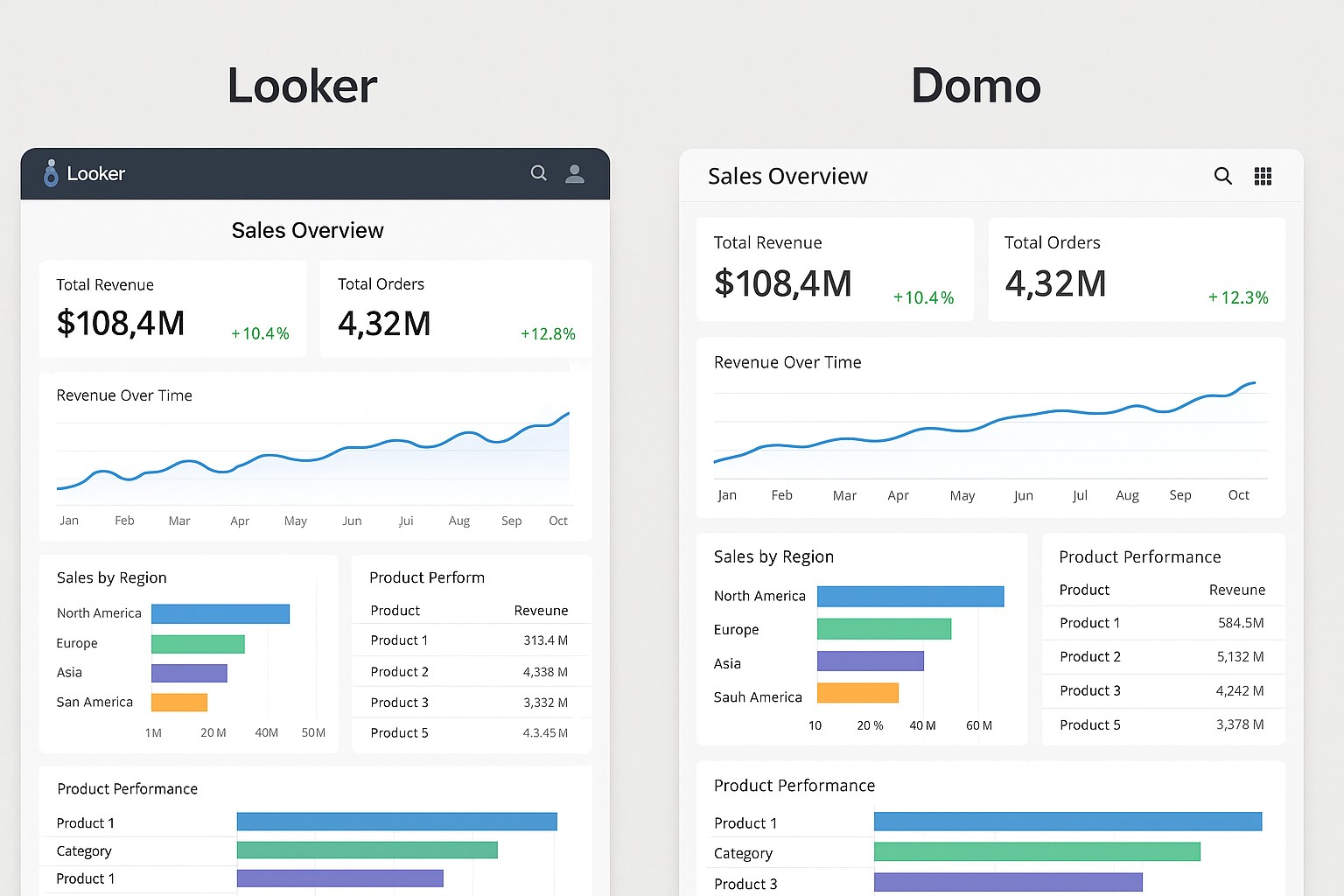
Looker and Domo sit at the intersection of data visualization, analytics, and decision intelligence for modern organizations. Looker, now part of Google Cloud, emphasizes governed data modeling and scalable analytics through LookML, a semantic modeling language that enforces consistent metrics across the business. Domo positions itself as an end-to-end BI platform with built-in data connectors, data preparation tools, dashboards, and a marketplace of apps, designed to deliver rapid insight to business users without heavy dependence on a data engineering team. Both tools aim to reduce the time from data to insight, but they approach that goal from different angles: Looker favors centralized governance and standardized metrics, while Domo emphasizes a self-service, end-to-end experience that blends data preparation with visualization. In mature data environments, many organizations combine these strengths by selecting one as the primary modelling layer and using the other for rapid ad hoc analysis or embedded analytics.
From an enterprise perspective, Looker tends to appeal to teams that require strict data governance, transparent lineage, and a single source of truth that scales across multiple departments and regions. Domo, by contrast, often attracts business teams that prioritize speed, out-of-the-box connectors to cloud apps, and user-friendly dashboards that frontline users can build and share quickly. The choice can hinge on existing cloud strategy: Looker aligns well with Google Cloud ecosystems and centralized data platforms, while Domo can function as a standalone BI layer with its own data pipeline, governance features, and a marketplace of prebuilt apps. Understanding your organization’s data maturity, governance requirements, and the desired balance between self-service and control will help determine which tool aligns best with your strategic goals.
Data Visualization and BI Modeling
Looker builds dashboards and explorations on top of a modeling layer that defines datasets, dimensions, measures, and relationships in LookML. This modeling approach enables consistent metrics, reusable Explores, and a central semantic model that travels with dashboards. Analysts can author data definitions once and publish them for the wider organization, mitigating semantic drift and ensuring cross-dashboard consistency. The trade-off is a steeper initial setup and a reliance on data engineers or skilled analysts to define the model. In Looker, dashboards and explorations are grounded in the underlying LookML model, which helps maintain data governance as you scale.
Domo emphasizes a more visual, drag-and-drop approach to building dashboards and data workflows. Data can be ingested from a broad set of connectors, transformed through built-in data flows, and then surfaced via cards and dashboards for business users who need to see results quickly. While this reduces the time to insight, it can also introduce divergence if metrics are defined selectively across teams. The practical implication is that Looker excels when you need a rigorous, governed metric layer, while Domo shines for rapid prototyping, business-user empowerment, and a cohesive experience from data ingestion to visualization.
- Model-driven governance in Looker with LookML
- Ad-hoc exploration capabilities in Looker
- Consistent, reusable metrics across dashboards
- Drag-and-drop visualization and rapid dashboarding in Domo
- Built-in data preparation and dataflows in Domo
Embedding and Integration Capabilities
Both platforms support embedding analytics, but the approaches differ. Looker offers embedded analytics through its Embed API and standard embedding options that allow developers to render Looker dashboards inside external portals, apps, or partner sites with controlled authentication, SSO, and context passing. Domo supports embedding primarily through Domo Everywhere, which enables embeddable dashboards and data cards in customer portals or partner apps, often leveraging a managed authentication flow and white-labeling. In large-scale enterprise contexts, embedding is less about the dashboard appearance and more about preserving governance, performance, and user experience across the integrated environment.
Connectivity is another differentiator. Looker connects to most modern data platforms via live querying or caching layers, and it leverages native connectors and JDBC-like interfaces. Domo provides a broad catalog of connectors and a workflow layer (DataFlow) that can combine, transform, and load data for embedded scenarios. For organizations pursuing a true embedded analytics strategy, Domo Everywhere can offer a turnkey route to distribution while Looker emphasizes API-driven embedding within a custom UI.
- Embedded analytics options with Looker embeds
- Domo Everywhere for embeddable dashboards and data cards
- API-first data access and programmatic control
- Security controls, including SSO and row-level permissions
- Extensive data connectors and ecosystem coverage
Usability and Adoption Considerations
End-user usability differs. Looker requires a certain level of data literacy and modeling discipline; business analysts may gain adoption over time, but teams will rely on data engineers or Looker specialists for the modeled layer and governance. Domo tends to feel more approachable for non-technical users because of its drag-and-drop interface, guided data preparation, and a focused set of visualization templates. The result is a faster initial win for frontline teams but potential fragmentation if governance is not actively managed. Organizations should align training, governance policies, and ongoing stewardship to ensure a consistent experience across departments.
From the outset, consider how the chosen tool fits your organization’s change management plan. Looker’s workflow of building a centralized model can slow early delivery but pay dividends in long-term consistency. Domo’s self-service focus accelerates launch times but requires explicit governance strategies to prevent metric drift and duplication as the user base grows.
- Learning curve and training requirements in Looker
- Administrative overhead and governance considerations in Domo
- Availability of community resources and vendor support
- Mobile access and cross-device usability
- Change management, rollout speed, and user adoption strategies
Performance, scalability, and governance
Performance considerations include query efficiency, caching strategies, and concurrency management. Looker relies on the semantic model to push as much work as possible into the database, leveraging the query engine of the underlying data platform; this can deliver consistent performance at scale but depends on proper modeling and indexing. Domo uses built-in data flows to prepare data, which can improve readiness but may require careful resource management to avoid pipeline bottlenecks. In practice, your choice will hinge on where your data resides, how you optimize underlying warehouse performance, and whether you want to centralize the modeling layer (Looker) or centralize the data preparation alongside visualization (Domo).
Governance is critical for large organizations. Looker’s model-driven approach makes it easier to enforce metric definitions, roles, and access controls across the enterprise, while Domo’s governance channels must be actively managed through data lineage, user roles, and dataset permissions. Both platforms provide authentication options, SSO, and audit trails, but the depth of lineage and centralized metric governance may tilt the decision toward Looker for organizations prioritizing a single source of truth.
Pricing and Licensing
Pricing models for Looker and Domo typically reflect enterprise-scale usage, with Looker commonly priced by named users or by access tier, plus data usage considerations that vary by deployment. Domo generally structures pricing around user seats, data volume, and optional add-ons such as data science capabilities or advanced governance features. Both vendors prefer quote-based arrangements for large teams and may offer bundles, professional services, and enterprise support.
From a total cost of ownership perspective, consider not only the per-seat price but also the cost of data modeling, data integration, and ongoing governance. If your goal is to empower a broad set of business users with a governed metric layer, Looker may require more initial investment in modeling; if you need immediate dashboards and embedded analytics, Domo’s turnkey approach can reduce time to value but may entail higher ongoing data pipeline costs.
How do Looker and Domo differ in data modeling and semantic governance?
Looker uses LookML to define a centralized modeling layer with clearly defined metrics and relationships, which enforces consistency and lineage across dashboards. Domo relies more on its data preparation and transformation workflows to deliver ready-to-visualize datasets, with governance managed through roles, datasets, and dataflows, but it can require ongoing discipline to maintain a single source of truth.
Which tool is better for embedding analytics into custom applications?
Looker offers API-driven embedding and robust control over authentication and context, making it well-suited for embedding into custom UIs where governance and metric consistency are paramount. Domo Everywhere provides a turnkey embedding path that can accelerate deployment in partner portals or customer apps, often with faster time-to-value but potentially with less granular control over the underlying modeling layer.
How do pricing models compare for mid-market teams?
Pricing for Looker typically centers on named users or access tiers plus data usage, with enterprise negotiations that reflect data volumes and support needs. Domo pricing often emphasizes user seats and data volume, with optional add-ons for governance and advanced features. For mid-market teams, the decision often rests on whether the organization prioritizes a governed modeling layer (Looker) or rapid deployment and embedded analytics (Domo), balanced against total cost of ownership and internal resources for data preparation and governance.
What are security and governance considerations when choosing?
Security and governance considerations include how each platform handles authentication, authorization, row-level access, data lineage, and auditability. Looker provides strong governance through its LookML semantic layer, which enforces consistent metrics and centralized control. Domo offers governance features via datasets, dataflows, and role-based access, but organizations should establish clear ownership and lineage practices to avoid drift when multiple teams contribute data and dashboards.
Which platform tends to be faster for initial dashboards and prototyping?
Domo typically enables faster initial dashboards and prototyping due to its end-to-end approach and user-friendly interfaces, allowing business users to visualize data quickly. Looker may require more upfront modeling work, but the resulting dashboards benefit from consistent metrics and scalable governance, leading to more reliable long-term analytics at scale.