Now Reading: SAP Build (Low-Code) Platform: An Introduction
-
01
SAP Build (Low-Code) Platform: An Introduction

Overview of SAP Build (Low-Code) Platform
SAP Build represents SAP’s approach to enabling rapid application development across the enterprise by combining visual design, data modeling, and lightweight integration in a single, cohesive workspace. Built on the SAP Business Technology Platform (BTP), it is purposefully designed to bridge the gap between business domain experts and IT professionals. The goal is to shorten the time from idea to production while preserving essential IT controls, security, and governance that enterprises rely on. By focusing on low-code and no-code capabilities, SAP Build makes it feasible for cross-functional teams to prototype, refine, and deploy applications that reflect real business needs rather than reference implementation alone. The platform is positioned to support both small, incremental improvements and more substantial, strategic apps, all within a consistent framework that aligns with enterprise standards and data policies.
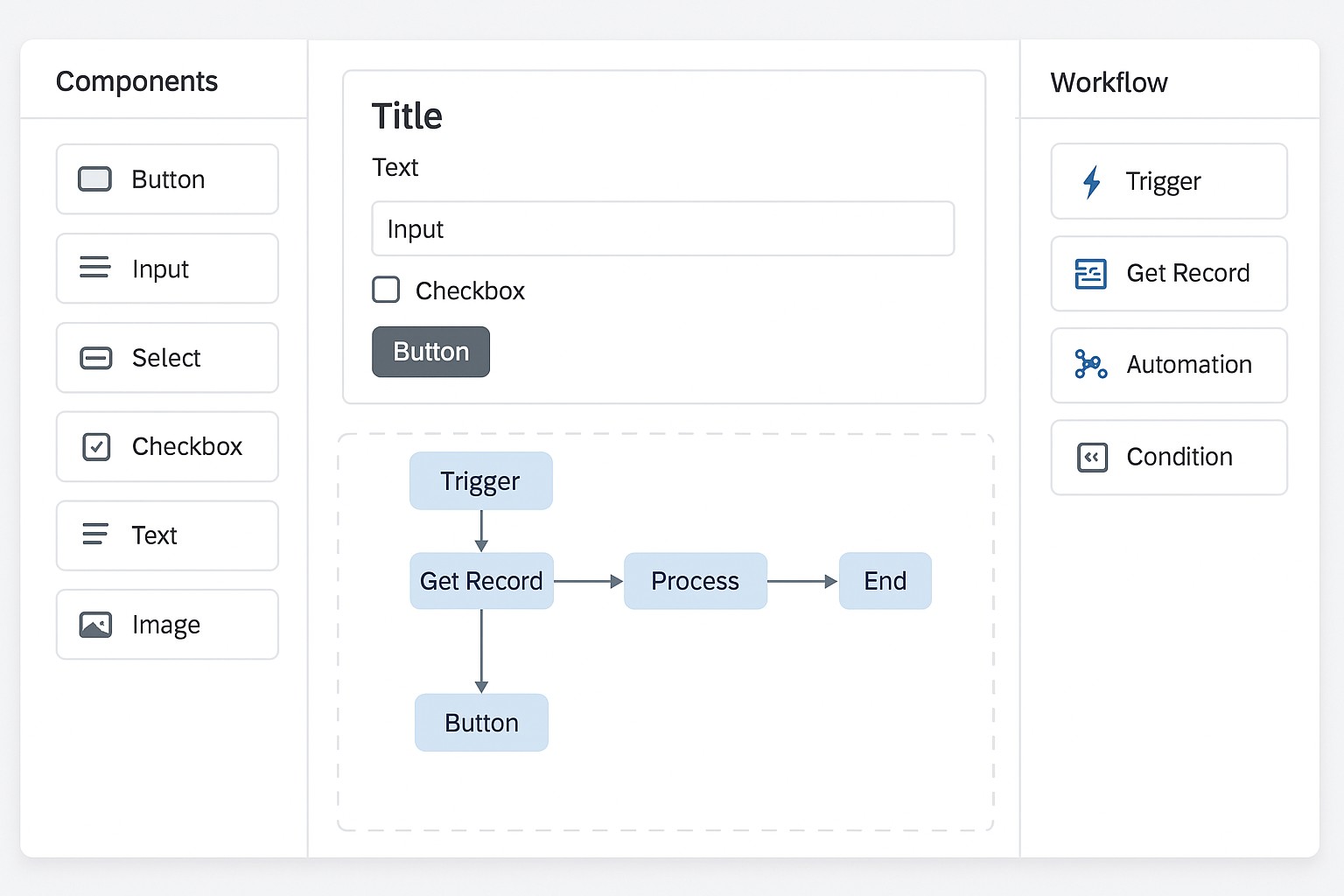
At its core, SAP Build enables collaboration between business users who understand the processes and data, and developers who ensure reliability, scalability, and reuse. It integrates into SAP’s broader ecosystem, leveraging identity, access management, and security models common across SAP solutions. This alignment helps ensure that apps developed within Build can slot into existing IT landscapes, access the same data sources, and participate in the same governance programs as traditional development efforts. In practice, organizations use SAP Build to design user interfaces, connect to SAP and non-SAP data, model data in a flexible way, automate workflows, and extend capabilities with logic and integrations as needed. The result is a set of enterprise-ready applications that can be iterated quickly, without sacrificing auditability or compliance requirements.
- Drag‑and‑drop app builder with a visual, component-based UI
- Visual data modeling and connections to SAP and external data sources
- Built‑in process automation and workflow orchestration
- Prebuilt components, templates, and connectors for common business scenarios
- Enterprise governance features: RBAC, versioning, auditing, and policy enforcement
- Seamless integration with SAP BTP services and SAP solution ecosystems
Together, these capabilities create an environment where business teams can move from concept to working software with a clear line of sight into data lineage, security controls, and deployment status. The platform emphasizes reusability and collaboration, helping organizations avoid duplicative efforts and ensuring that new apps adhere to established design patterns and UX guidelines. In short, SAP Build is designed to accelerate value realization while maintaining the rigor required by large, complex enterprises.
How SAP Build enables business users and developers
SAP Build empowers business users—often called citizen developers—to translate expert knowledge into functional prototypes and production-grade applications without needing to write extensive code. At the same time, professional developers can leverage familiar SAP services and platform capabilities to scale solutions, integrate them with existing systems, and enforce governance at scale. This dual capability helps convert backlog into tangible software assets more quickly while preserving security, data integrity, and performance. By providing a common, visual language and shared components, Build reduces miscommunication between business and IT, speeds iteration cycles, and enhances cross-functional collaboration across functions such as finance, HR, procurement, and field operations.
- Discover and scope: Stakeholders identify a real business problem, define success metrics, and determine the data sources and systems involved.
- Design and model: Teams map data structures, design user interfaces, and outline the user journeys that the application will support.
- Build with visual tools: Developers and business users assemble screens, data connections, and logic using drag‑and‑drop components and low-code expressions.
- Validate with stakeholders: Prototypes are reviewed with business owners and IT for feedback, compliance checks, and usability testing.
- Deploy and monitor: The app is deployed to the appropriate environment, with built‑in monitoring, analytics, and alerting to ensure performance and reliability.
- Iterate and scale: Based on real usage and evolving requirements, teams refine the app, extend integrations, and craft additional components for reuse.
The lifecycle above reflects SAP Build’s emphasis on governance, collaboration, and reuse. IT departments typically establish standards for naming, data access, security roles, and packaging so that new builds can enter production with consistent behavior. This also helps with auditing, version control, and rollback scenarios when business needs change or new regulations come into effect. As organizations adopt Build more broadly, they often create communities of practice and centers of excellence to standardize patterns and ensure that learnings from one project inform subsequent work across the enterprise.
Benefits and considerations when adopting SAP Build
Adopting SAP Build can yield significant business and IT benefits. The most immediate gains come from faster delivery of applications that directly support critical business processes, enabling teams to test ideas, demonstrate value, and capture feedback earlier in the development lifecycle. Because Build emphasizes component reuse, consistent UX, and integrated security, organizations can reduce redundancy, limit shadow IT, and maintain better control over data access and compliance. The platform also helps extend the reach of SAP solutions by connecting core ERP data with frontline workflows and mobile experiences, enabling more informed decision-making and closer alignment between operations and strategy. Over time, Build can contribute to a broader digital transformation effort by turning scattered process improvements into a cohesive portfolio of digital assets, each with measurable impact on productivity and customer experience.
Nevertheless, successful adoption requires attention to governance, data strategy, and change management. Decisions about data ownership, access controls, and data provenance must be embedded in the design and deployment workflow. Integration complexity, performance considerations, and licensing implications should be evaluated early, as should the alignment with existing IT roadmaps and security policies. It is also important to plan for skills development, as citizen developers will need ongoing guidance on best practices, quality assurance, and compliance requirements. By balancing speed with control and ensuring active participation from IT, risk management, and business stakeholders, organizations can maximize the long-term value of SAP Build while maintaining a resilient, scalable environment.
- Data governance and privacy alignment with corporate policy
- Performance, scalability, and monitoring across production workloads
- Comprehensive connector coverage and data source interoperability
- Security, access control, and auditability in line with IT standards
- Licensing, cost management, and licensing models for citizen developers
- Maintenance, support, and the need for governance in a fast-moving environment
Getting started with SAP Build
To begin, organizations should start with a clear, measurable use case and a defined success criterion. It helps to assemble a small cross‑functional team that includes an IT representative, a business process owner, and a subject-matter expert. Start in a controlled environment such as a sandbox or developer tenant to experiment with data connections, UI components, and simple automations before deploying to production. Leverage SAP’s training resources, workshops, and reference architectures to accelerate onboarding and establish a common language across teams. It is also prudent to map out data sources, establish data access policies, and define how new apps will be governed, versioned, and deployed in alignment with existing enterprise standards.
As adoption grows, many organizations establish a Center of Excellence or a governance board to oversee patterns, reuse, and quality assurance. Emphasize component libraries, approved templates, and standardized UX to ensure consistency across apps. Encourage cross-pollination across departments by documenting case studies, sharing reusable assets, and maintaining a living catalog of best practices. Finally, plan for ongoing skills development and governance reviews so that the platform scales with changing business needs while maintaining security, compliance, and operational excellence.
FAQ
What is the difference between SAP Build Apps and SAP Build Process Automation?
SAP Build Apps focuses on front-end development, enabling users to design and deploy cross‑platform applications with a visual UI, data modeling, and integrations. SAP Build Process Automation emphasizes automating business processes and workflow orchestration, including task routing, approvals, and integration with back‑end systems. Together, they complement each other, with Apps handling user interfaces and data interactions, and Process Automation handling process logic and orchestration across systems.
How does SAP Build integrate with SAP ecosystems and data sources?
Build integrates with SAP data sources through standard connectors and APIs that access SAP S/4HANA, SAP SuccessFactors, SAP Ariba, and other SAP services, as well as external REST and OData endpoints. It leverages the SAP BTP identity and authorization framework, enabling role-based access control, audit logging, and secure data access. In practice, this means apps and workflows can securely consume enterprise data, participate in existing security policies, and be monitored within the broader SAP landscape.
Who should be involved in SAP Build governance?
Effective governance typically involves a cross‑functional team including IT leadership, data and security officers, application architects, and business process owners. A Center of Excellence or governance board can help establish design standards, component libraries, data access rules, and deployment procedures. Involving stakeholders from line of business, security/compliance, and IT early on helps ensure that the platform delivers consistent value while staying aligned with risk management and compliance requirements.
Is SAP Build suitable for on-premises deployments or only cloud?
SAP Build is designed to run within the SAP Business Technology Platform and is typically delivered as a cloud-based service. While many of the connectivity options enable access to on-premises systems via secure adapters and integration suites, the primary deployment model emphasizes cloud-based development, deployment, and management. Organizations with strict on-premises requirements typically adopt an integration approach that centralizes data access through secure connectors and middleware layered on top of their existing infrastructure.
What are common security considerations when using SAP Build?
Common security considerations include enforcing least privilege access through role-based controls, ensuring secure data transmission and storage, managing credentials and secrets securely, and implementing robust monitoring and auditing. It is important to establish data ownership, lineage, and privacy policies for any data used in apps and workflows. Organizations should also define incident response processes and align Build governance with broader IT security programs to maintain compliance and reduce risk as the platform scales.