Now Reading: Sisense vs Power BI: BI Tools Comparison
-
01
Sisense vs Power BI: BI Tools Comparison

Executive Overview
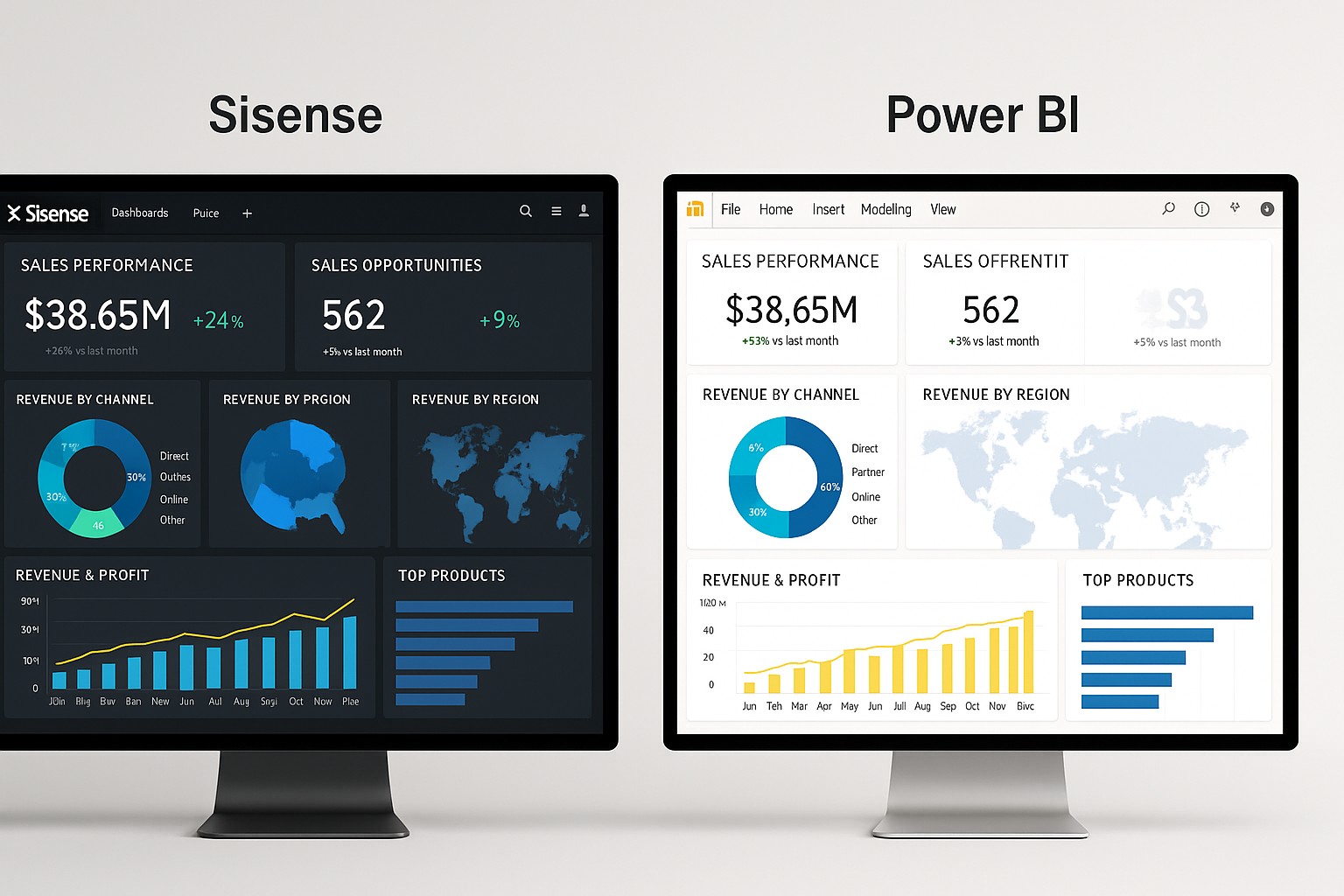
The Sisense vs Power BI comparison presents a practical lens on two leading BI platforms that organizations often consider when building or scaling their analytics programs. Power BI benefits from deep integration with the Microsoft ecosystem, familiar licensing models, and a rapid path from data ingestion to dashboards. Sisense, by contrast, emphasizes scalable data modeling, embedded analytics capabilities, and a more flexible runtime for large, diverse data sources. This article analyzes concrete dimensions—data prep, modeling, visualization, integration, governance, and total cost of ownership—to help decision-makers determine which tool aligns with their analytics strategy.
Readers should approach this comparison with a business-technical mindset: identify your primary use cases, the governance requirements of your environment, and the level of embedding or external sharing you anticipate. By focusing on the operational realities of your data pipelines, deployment constraints, and user personas, you’ll emerge with a clear verdict on whether Power BI or Sisense best supports your short-term needs and long-term growth objectives.
Strengths and target audiences
Power BI is typically favored by organizations that already rely on Microsoft products and want a low-friction path from Excel and SQL Server to enterprise-grade dashboards. Its strength lies in broad user adoption, cost-efficient per-user licensing, and a thriving marketplace of visuals and connectors that integrate tightly with Azure services and the broader Microsoft stack. For many business users, Power BI offers a familiar interface, rapid publishing workflows, and governance options that scale from departmental analytics to organization-wide reporting.
Sisense, on the other hand, appeals to data teams and product-centric organizations that prioritize embedded analytics, scalable data models, and flexible deployment. It excels when you need to unify disparate data sources, serve analytics inside customer-facing apps, or maintain performance as data volumes and query complexity grow. For enterprises that demand strong data modeling capabilities, robust data governance, and the ability to deliver analytics at scale via embeddable components, Sisense tends to be a compelling option.
Data preparation and modeling
Power BI’s data preparation rests on Power Query for extraction, transformation, and load processes, coupled with a semantic data model built in the Desktop and Service experiences. DAX provides a powerful language for metrics and calculated tables, enabling analysts to create reusable logic that travels with reports. The product emphasizes incremental refresh, directQuery support for some sources, and a data mesh mindset when connected to Azure data services. In practice, teams achieve rapid iteration on data models that support both dashboards and ad-hoc exploration.
Sisense centers its modeling approach on the Elastic Data Model (EDM), which abstracts data into a semantic layer that remains performant across large datasets and multiple data sources. Its architecture favors centralized data preparation, caching strategies, and analytics-ready warehouses, enabling analysts to push complex calculations closer to the data and reduce round-trips to source systems. This approach tends to benefit scenarios where unified access to varied data models matters, especially in embedded analytics contexts or where governance requires a single, consistent semantic layer.
Visualization capabilities and analytics
Power BI offers a broad visualization library, a growing set of AI-assisted features, and the ability to compose interactive stories with dashboards that respond to user selections in real time. The platform supports paginated reports for pixel-perfect printing, mobile-friendly experiences, and a strong ecosystem of custom visuals. Businesses often leverage natural language queries, AI insights, and seamless embedding within SharePoint, Teams, and other Microsoft surfaces to scale reporting across departments.
Sisense emphasizes flexible visualization delivery and embedded analytics with strong performance for dashboards that operate over large or complex data models. It supports a variety of visualization styles, including custom visuals, and places emphasis on the ability to embed analytics within customer applications or partner portals. For teams that require highly integrated analytics embedded in products or experiences, Sisense offers a compelling foundation to build white-labeled analytics with responsive design and scalable interactivity.
Integration, connectivity, deployment, and scalability
Power BI provides extensive connectors to hundreds of data sources, with tight alignment to Azure data services, SQL-based sources, and cloud-based SaaS apps. Its cloud-first posture makes deployment straightforward for organizations already invested in Microsoft 365 and Azure, with scalable options from Pro licenses to Premium capacities for larger, more controlled environments. Role-based access, data sensitivity labeling, and row-level security features support governance at scale, particularly in enterprises that operate with centralized IT oversight.
Sisense emphasizes flexible deployment models and a robust data integration story that suits environments with diverse data landscapes. It supports on-premises, hybrid, and cloud deployments, plus strong capabilities for data connectors and streaming data. As data volumes grow and embedding becomes a strategic goal, Sisense’ architecture is designed to maintain performance while supporting multiple data sources and concurrent user sessions across embedded and internal analytics contexts.
Security, governance, and administration
Power BI leverages Azure Active Directory for identity management, along with comprehensive governance features such as workspace scoping, data lineage, data classification, and auditing. Its security model supports granular permissions, row-level security, and integration with enterprise security tools, which helps large organizations meet compliance requirements. The administrative experience is streamlined for centralized control, auditing, and consistent rollout of reports and dashboards across the organization.
Sisense prioritizes a robust governance layer that often includes centralized data catalogs, metadata management, and governance mechanisms designed for embedded analytics environments. It offers strong data lineage tracing and security controls that can extend to partner-facing solutions. For teams that need to tightly govern data access across internal and external analytics surfaces, Sisense provides a flexible, scalable foundation to enforce security policies consistently.
Pricing, licensing, and total cost of ownership
Power BI typically presents a cost-efficient entry point through per-user licenses (Power BI Pro) and optional capacity-based licensing (Power BI Premium). For many organizations, this translates into predictable monthly costs tied to the number of active users and the volume of content shared across the tenant. Additional costs may arise from data refresh frequencies, data gateway usage, and the need for premium capacity to support large-scale distribution and pagination. The overall TCO hinges on license counts, storage needs, and the breadth of sharing across teams and external partners.
Sisense pricing tends to reflect its capacity to scale analytics, support embedded deployments, and accommodate large/complex data environments. While the exact model varies by deployment (on-prem vs cloud, embedded vs internal analytics), customers often consider ongoing maintenance, data integration, and the resources required to operate a federated analytics platform. For organizations prioritizing embedded analytics or extensive data modeling across disparate sources, Sisense can offer a compelling value proposition despite potentially higher upfront or ongoing costs.
Implementation considerations and migration paths
Choosing between Power BI and Sisense frequently comes down to how you plan to implement, govern, and evolve analytics over time. Power BI tends to excel in environments where rapid adoption, native integration with Microsoft workloads, and enterprise-wide governance are critical in the near term. Migration paths from legacy BI tools may be smoother if those tools fit within the Microsoft ecosystem, enabling faster consolidation of reports and dashboards with minimal custom development.
For teams pursuing embedded analytics, advanced data modeling, and a platform designed to scale with expanding data volumes, Sisense often offers a more favorable long-term trajectory. Migration considerations include re-architecting data models to leverage the EDM approach, re-hosting embedded analytics components, and establishing a governance framework that preserves data quality and security across internal and external users. In both cases, a careful plan for data source coupling, performance testing, and user training is essential to realize the expected ROI.
Scenario-based guidance: where Power BI shines and where Sisense excels
Below are concise scenario-oriented indicators to guide your evaluation. These lists are designed to help stakeholders map business requirements to platform capabilities and to avoid common blind spots in the selection process.
- Power BI shines when: your organization relies heavily on Microsoft 365 and Azure services; you need rapid deployment with a familiar interface for business users; you require broad distribution of dashboards across a large user base with strong governance and security controls.
- Power BI is a strong choice for embedded analytics in Microsoft-centric ecosystems where time-to-value matters and licensing economics favor per-user adoption at scale.
- Sisense excels when: you need embedded analytics that scale across products and external partners; you manage complex, diverse data sources that require a unified semantic layer; you demand high performance for large datasets and advanced data modeling beyond traditional BI constraints.
- Sisense is well-suited for organizations pursuing cross-system analytics with a strong emphasis on data governance, flexible deployment (including on-prem and hybrid), and a platform capable of supporting specialized analytics workloads beyond standard dashboards.
Implementation patterns and best practices
To maximize the value of either platform, adopt disciplined data governance, clear ownership of data assets, and a well-documented refresh strategy. For Power BI, align your data schemas with the Microsoft data stack, invest in dataflows for reusable ETL logic, and leverage workspace scoping to minimize risk. For Sisense, emphasize a centralized semantic model, standardized data connectors, and a robust embedding plan that prioritizes consistent user experiences across partner apps and internal portals.
Regardless of the choice, design dashboards with user tasks in mind, favor reusable visual components, and implement a phased rollout that includes pilot departments, feedback loops, and ongoing performance tuning. The combination of strong governance and thoughtful UX can significantly improve adoption, reduce duplication of effort, and accelerate time-to-insight across the organization.
FAQ
Which platform is generally faster to deploy in a Microsoft-centric environment?
Power BI typically offers faster time-to-value in Microsoft-centric environments because it leverages familiar interfaces, integrates with the Microsoft data stack, and benefits from a streamlined deployment path across Teams, SharePoint, and Azure services. If your users already work in the Microsoft ecosystem, you’re likely to experience quicker onboarding, simpler governance, and more intuitive licensing scenarios compared with a non-Microsoft alternative.
Which platform is better for embedded analytics in customer-facing applications?
Sisense generally has an edge for embedded analytics due to its strong emphasis on scalable, embeddable components and a flexible semantic layer that travels with embedded dashboards. If your primary goal is to deliver analytics within partner or customer applications, Sisense often provides more granular control over branding, APIs, and performance optimization for embeddable content.
How should I approach governance and security planning for either platform?
Start by documenting your data sources, ownership, sensitivity levels, and compliance requirements. For Power BI, leverage Azure AD-based identity, row-level security, and workspace governance to enforce policies at scale. For Sisense, emphasize metadata management, data lineage, and a centralized governance model that can extend to embedded analytics. In both cases, align security controls with your organization’s data strategies, audit trails, and incident response plans.
What is a practical way to compare total cost of ownership between Power BI and Sisense?
A practical TCO comparison should consider license or capacity costs, data storage, refresh frequency, user counts, maintenance overhead, and any embedding or distribution requirements. For Power BI, factor in per-user licenses and Premium capacities if you need broad distribution. For Sisense, include embedding-related costs, data integration activities, and the resources required to administer a centralized semantic model. A side-by-side financial model helps reveal not only upfront costs but ongoing operational expenses as data needs evolve.