Now Reading: Tableau Alternatives: Top BI Tools to Consider
-
01
Tableau Alternatives: Top BI Tools to Consider


Overview of Tableau alternatives
Organizations increasingly evaluate alternatives to Tableau to align business intelligence capabilities with evolving data strategies, governance requirements, and cost considerations. The BI tool landscape today emphasizes cloud-native architectures, scalable data modeling, and stronger governance controls, making it possible to tailor analytics platforms to enterprise needs while controlling total cost of ownership. For many teams, the right Tableau replacement hinges on how well a tool integrates with existing data warehouses, supports self-service analytics without compromising data safety, and scales as data volumes grow.
When assessing options, decision makers focus on factors such as data source connectivity, semantic modeling capabilities, deployment models (cloud, on-prem, or hybrid), and the ease with which analysts can build, share, and govern dashboards. The market rewards platforms that offer robust connectors to popular data sources, resolve data lineage, and provide a clear semantic layer that translates business concepts into reusable metrics. In short, the best Tableau alternative is the one that preserves analytical fidelity while delivering improved governance, faster time-to-insight, and a predictable cost structure.
- Total cost of ownership, including licensing, maintenance, and scaling costs
- Self-service analytics capabilities and ease of use for business users
- Ecosystem maturity, connectors, and availability of partners and support
- Performance and scalability with large datasets and complex visualizations
Core players and how they compare
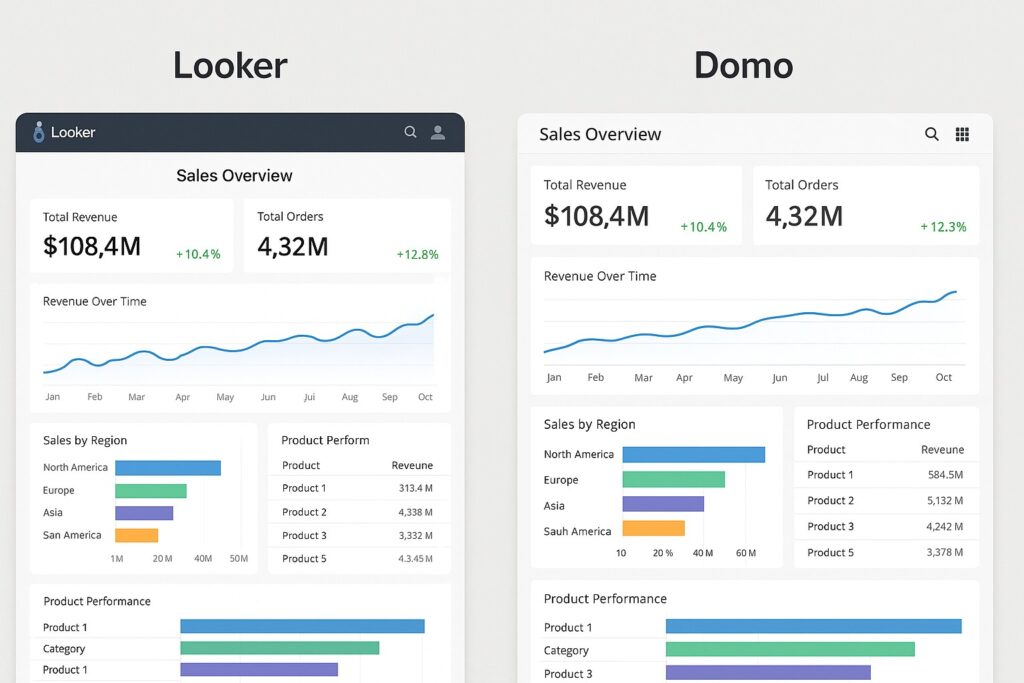
Power BI remains a strong competitor for many organizations, especially those already invested in the Microsoft ecosystem. Its native integration with Excel, Azure services, and Microsoft 365 makes rapid adoption possible, while the pricing model is often attractive for large user bases. Looker emphasizes semantic modeling and governed analytics, enabling a centralized data model that empowers analysts to define metrics once and reuse them broadly. Qlik Sense leverages an associative engine that supports flexible exploration, enabling users to traverse data across multiple domains without predefined drill paths. These core players illustrate how different design choices—semantic layers, associative engines, or native productivity integrations—shape the end-user experience and governance model.
Beyond these incumbents, the market is moving toward cloud-native, AI-assisted analytics and more predictable procurement paths. Licensing structures, data source support, and the level of governance control become critical in large enterprises where multiple business units require secure, auditable access to data. As vendors mature, organizations increasingly weigh time-to-value against long-term adaptability, ensuring the selected tool aligns with data architecture principles, security standards, and roadmap commitments. The following table provides a concise comparison of the core platforms commonly considered as Tableau alternatives.
| Tool | Strengths | Ideal Use Case | Notable Limitations | Deployment |
|---|---|---|---|---|
| Power BI | Cost-effective, strong Windows ecosystem, broad connector catalog, robust AI features, seamless Excel integration | Enterprises seeking rapid ROI with Microsoft-powered environments and extensive self-service analytics | Complex data modeling can be challenging for non-Microsoft users; large-scale performance requires careful data modeling | Cloud (Power BI Service) or hybrid via on-prem gateways |
| Looker | Strong semantic modeling via LookML, centralized governance, scalable in cloud warehouses | Data modeling-centric teams needing governed analytics across a consolidated data layer | Licensing can be expensive; initial LookML modeling requires expertise | Cloud-native deployment |
| Qlik Sense | Associative engine enables flexible exploration; strong storytelling and dashboards | Complex data landscapes where analysts need fluid, cross-domain exploration | Learning curve can be steeper; governance tooling may feel less intuitive for new admins | Cloud or on-prem |
| Domo | End-to-end platform with built-in ETL and collaboration features | Organizations needing an all-in-one BI platform with collaboration baked in | Premium pricing; governance discipline required to prevent data sprawl | Cloud |
Emerging and rising contenders
In addition to the established players, a cohort of cloud-native and AI-enhanced tools is reshaping how enterprises approach BI. These solutions emphasize scalable data modeling, fast deployment, and intuitive interfaces that appeal to both technically oriented analysts and business users. For organizations seeking to augment or replace Tableau with tools that offer strong governance, flexible deployment, and modern analytics capabilities, these rising contenders provide compelling alternatives.
The following list highlights notable emerging tools worth watching as part of a long-term BI strategy. Each tool offers a distinctive value proposition, whether it is advanced AI-assisted insights, semantic layering, or simplified data modeling workflows that reduce time-to-insight for non-technical users.
- ThoughtSpot — strong search-driven analytics and AI-assisted insights, well-suited for executive dashboards
- Sigma Computing — cloud-native, SQL-first modeling with a spreadsheet-like UI for rapid analysis
- Metabase — open-source BI with quick setup and simple visualizations for lightweight deployments
- Pyramid Analytics — enterprise-grade BI with robust governance and a mature semantic layer
- Yellowfin BI — storytelling-focused analytics with collaboration and governance features
{
  "visualization": "dashboard",
  "filters": {
    "region": "EMEA",
    "year": 2025
  },
  "dataSource": "sales_db"
}
Migration and implementation considerations
The decision to migrate from Tableau or adopt a Tableau alternative is often driven by governance needs, data source complexity, and the desired speed of delivery. Organizations should plan for a staged approach that prioritizes critical dashboards, preserves semantic consistency, and minimizes disruption to regular business reporting. A successful migration requires a clear mapping of existing dashboards to the target platform, validation of metrics against source systems, and a governance model that defines data ownership, data lineage, and access controls. A phased rollout can help teams learn the new tool while maintaining business continuity.
Implementation should also account for data integration pipelines, data warehouse performance, and security requirements. Enterprises frequently adopt a data catalog or data governance framework that complements the BI tool’s capabilities, ensuring consistent definitions and auditable access. In practice,成熟 BI environments combine semantic modeling, robust connectivity, and well-documented dashboards to deliver reliable, scalable analytics across the organization.
FAQ
What should I consider when selecting a Tableau alternative?
When selecting a Tableau alternative, prioritize data governance capabilities, semantic modeling, and connectivity to your data sources. Evaluate deployment options to match your cloud strategy, assess how the tool handles data lineage and security, and consider the total cost of ownership, including licensing, maintenance, and potential training needs. Finally, run a pilot that covers representative datasets and user roles to validate performance, governance, and user adoption before committing to a long-term contract.
Is Power BI still a strong competitor for large enterprises?
Yes. Power BI remains a strong enterprise option due to its integrated ecosystem with Microsoft products, extensive data connectors, and scalable governance features. Large organizations often leverage Premium capacity, app workspaces, and deployment in Azure to achieve centralized control and predictable performance. However, successful adoption depends on thoughtful data modeling, data governance alignment, and ensuring licensing scales with user adoption and data volumes.
How do licensing and deployment choices impact TCO?
Licensing models (per-user, per-capacity, or per-usage) and deployment choices (cloud vs. on-prem vs. hybrid) have a substantial impact on total cost of ownership. Cloud-based, per-user licensing can be predictable for small teams but may scale quickly with user growth. On-prem or hybrid deployments incur hardware, maintenance, and upgrade costs but may be preferred for data sovereignty and performance control. A thorough TCO analysis should include upfront migration costs, training, data pipeline adjustments, and ongoing maintenance across the tool’s lifecycle.
Can these tools integrate with existing data sources and data governance frameworks?
Most modern BI tools offer extensive connectors to on-prem and cloud data sources, APIs, and data warehouses. Effective integration requires alignment with data governance frameworks, including metadata management, data lineage, access controls, and compliance policies. Tools that support semantic layers and centralized metric definitions typically enable stronger governance and easier cross-functional reporting, which is essential for consistent decision-making across the organization.
Which tool is best for data modeling and semantic layer?
Looker is often cited for its strong semantic modeling with LookML, enabling centralized metric definitions and governance. Other tools, such as Power BI and Qlik, offer robust data modeling capabilities within their ecosystems, though the approach differs (tabular data models vs. associative engines). The best choice depends on your data architecture, existing tooling, and the skill sets of your analytics team, as well as how you balance speed of deployment with governance requirements.