Now Reading: Top CI/CD Tools for DevOps Automation
-
01
Top CI/CD Tools for DevOps Automation

Understanding the value proposition of modern CI/CD
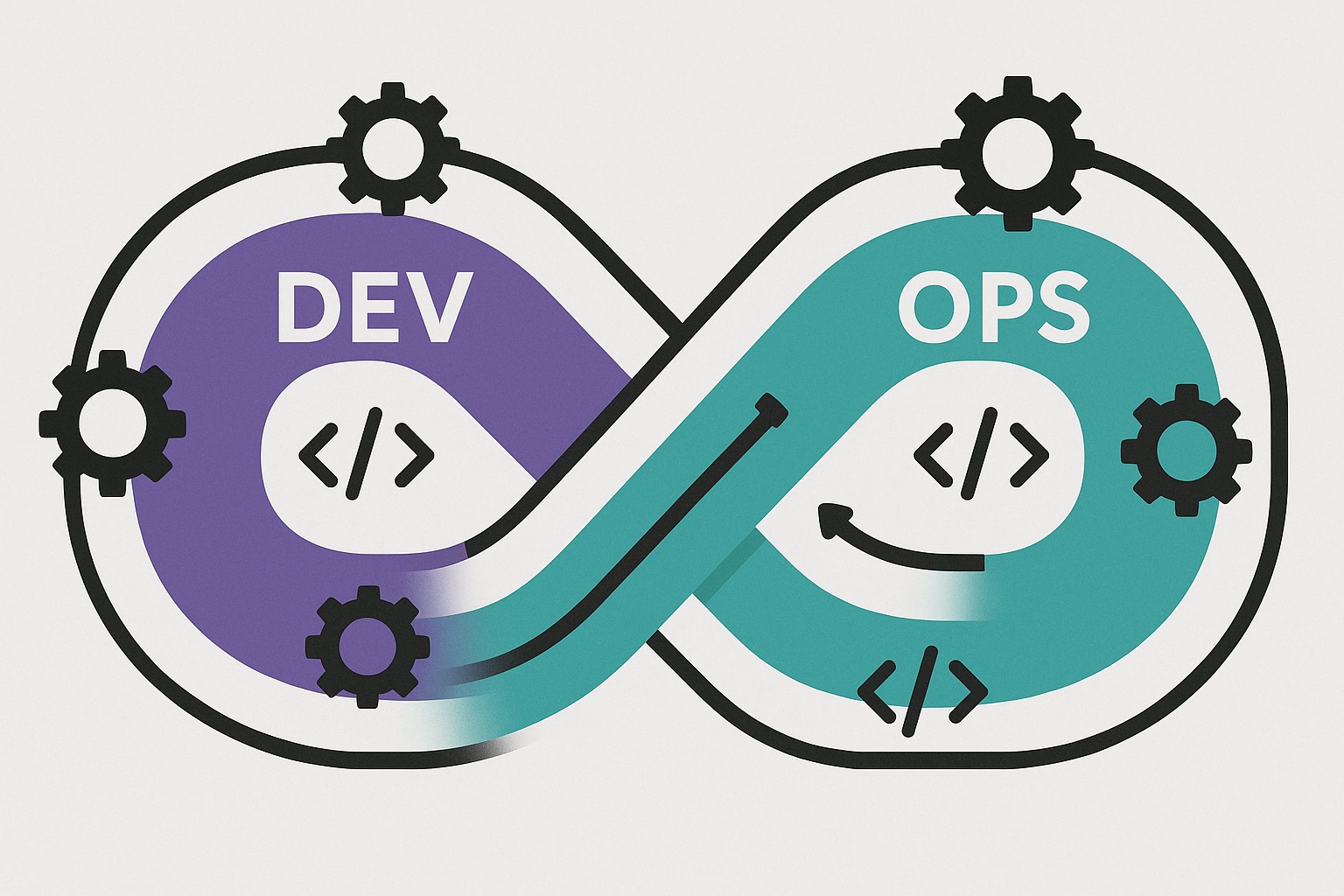
In today’s DevOps practice, continuous integration and continuous delivery pipelines are not merely a collection of scripts; they are an architectural layer that anchors automation, feedback, and governance across development, testing, and operations. Robust CI/CD tooling reduces manual handoffs, accelerates feedback loops, and enables teams to deploy rapidly with repeatable quality. The goal is to translate code changes into reliable releases while preserving security, traceability, and compliance as the system scales.
Choosing the right set of tools involves balancing technical fit with organizational priorities such as cloud strategy, governance requirements, and the preferred development workflow. A modern pipeline often spans multiple environments—from local development to cloud-hosted runners, artifact management, and production observability—so the decision is rarely about a single magical feature. Instead, it’s about mapping pipeline stages to automation, controls, and telemetry that align with how teams work, how risks are managed, and how performance is measured.
Effective CI/CD is not only about speed; it is about predictable delivery, secure releases, and measurable quality at every stage of the software lifecycle.
Leading platforms at a glance
There is no one-size-fits-all solution for CI/CD. Some teams prioritize deep integration with a particular version control system, others require robust on-premises heritage, while many organizations seek cloud-native convenience and rapid iteration. Jenkins remains a versatile on-premises option with a decades-long plugin ecosystem; GitLab CI/CD and GitHub Actions exemplify strong Git-based workflows with progressively richer automation capabilities; CircleCI offers performance-oriented cloud and on-prem solutions; Azure DevOps Pipelines, Bamboo, and TeamCity provide enterprise-grade governance and integration with broader software lifecycle tools. Understanding each platform’s core strengths helps teams map a practical path from development to production while maintaining security and compliance posture along the way.
When evaluating tools, focus on integration points (source control, artifact repositories, cloud accounts), pipeline as code capabilities, the ease of onboarding new team members, and observability and security features that enable you to monitor, audit, and recover from failures quickly. This includes how well the platform supports secret management, policy as code, artifact promotion, and centralized reporting. A pragmatic approach often combines a primary CI/CD platform with complementary services to address specific needs such as advanced security scanning or multi-cloud deployment orchestration.
Jenkins: Open-source power and extensibility
Jenkins has stood the test of time because it is highly extensible, with thousands of plugins and a large community contributing to its ecosystem. Its strength lies in the ability to tailor pipelines to almost any environment, including on-premises data centers, private clouds, and hybrid setups. This flexibility is particularly valuable for organizations with complex legacy stacks or custom automation requirements. However, this flexibility also places a greater demand on maintenance, plugin compatibility, and careful version control of the master and agents to avoid drift and security concerns.
- Wide plugin ecosystem that covers most integration scenarios
- Flexible agent-based execution, including on-premises and cloud runners
- Strong community support and extensive documentation
- Deep control over pipeline orchestration and environment provisioning
- Self-hosted control with configurable security boundaries
GitLab CI/CD: Integrated pipelines with version control
GitLab CI/CD sits inside the GitLab platform, offering a cohesive experience from repository to production. Its tight integration with issues, merge requests, and built-in security scanners makes it a compelling choice for teams pursuing a single, unified view of the software lifecycle. The configuration is expressed as code in a .gitlab-ci.yml file, which enables consistent reproducibility and easy versioning of the pipeline itself. This approach supports automated testing, quality checks, and deployment steps that align with modern DevOps practices while benefiting from GitLab’s broader lifecycle features.
stages:
  - build
  - test
  - publish
  - deploy

build_job:
  stage: build
  script:
    - mvn -version
    - mvn -q package -DskipTests
  artifacts:
    paths:
      - target/*.jar

test_job:
  stage: test
  script:
    - mvn test
  coverage: /TOTALr+s+(d+.?d*)%/

publish_job:
  stage: publish
  script:
    - echo "Publishing artifacts to registry"
    - echo "artifact: $(ls target/*.jar)"
CircleCI and GitHub Actions: Cloud-native speed and ecosystem
CircleCI is known for performance features, advanced caching strategies, and flexible workflow orchestration suitable for teams that favor cloud-based runners and rapid iteration. GitHub Actions, by contrast, benefits from deep integration with GitHub repositories, enabling event-driven pipelines that respond to pushes, pull requests, and release events with minimal setup. Both platforms emphasize developer experience and fast feedback loops, making them attractive for teams that want frictionless collaboration and scalable automation without heavy infrastructure management. The choice between them often comes down to where you host your code, how you manage secrets, and the scale of your release process.
GitHub Actions workflows can be lightweight for small teams yet remarkably powerful as processes evolve. CircleCI excels when complex workflows, matrix builds, and caching strategies are central to delivering rapid feedback without compromising reliability. In practice, many organizations adopt one of these tools as the primary engine for CI and use additional services to satisfy specialized needs, such as deeper security scanning, artifact management, or compliance reporting across multiple teams and projects.
name: CI
on:
  push:
    branches: [ main ]
jobs:
  build:
    runs-on: ubuntu-latest
    steps:
      - uses: actions/checkout@v3
      - name: Set up JDK 11
        uses: actions/setup-java@v3
        with:
          java-version: '11'
      - name: Build
        run: mvn -q -DskipTests package
Azure DevOps Pipelines, Bamboo, and TeamCity: Enterprise options
For organizations requiring strong governance, cross-project visibility, and predictable release cadences, Azure DevOps Pipelines, Atlassian Bamboo, and JetBrains TeamCity offer mature, enterprise-grade alternatives. Azure DevOps provides end-to-end lifecycle tools, including boards, repos, artifacts, and test plans, with scalable agent pools and built-in security features. Bamboo emphasizes seamless integration with Atlassian tooling (Jira, Bitbucket, Confluence) and robust deployment projects, which can be appealing for teams already invested in that ecosystem. TeamCity focuses on sophisticated build pipelines, build history, and advanced configuration options that suit large, multi-team environments with strict build reproducibility requirements. Each option tends to shine in environments where governance, traceability, and long-term maintenance matter most.
| Tool | Strengths | Best Use Case |
|---|---|---|
| Azure DevOps Pipelines | End-to-end lifecycle, strong governance, scalable agents | Organizations leveraging Microsoft stack seeking integrated planning and delivery |
| Bamboo | Seamless Atlassian integration, deployment projects | Teams already using Jira/Bitbucket with a need for controlled deployments |
| TeamCity | Powerful build orchestration, rich configuration | Large, multi-team environments requiring reproducible builds |
Security, compliance, and observability in CI/CD
As pipelines move faster, it becomes crucial to harden them against threats and to provide visibility into pipeline health, security posture, and release quality. This means integrating secret management, enforcing least privilege access, validating dependencies, and producing auditable trails of changes and approvals. Observability should extend beyond deployment success to include error budgets, performance metrics, and proactive alerting so that teams can detect regressions and address them before customers are affected. The goal is to balance velocity with risk management in a way that scales with the organization.
- Secret management and credential rotation across environments
- Policy as code and role-based access control integrated into the pipeline
- Software composition analysis (SCA) and SAST/DAST scanning integrated into builds
- Immutable artifacts and verifiable release gates tied to governance
- Comprehensive audit trails for changes, approvals, and deployments
- Observability integration: metrics, traces, and dashboards that reflect pipeline health
Migration and adoption best practices
Transitioning to a robust CI/CD program is as much a people and process challenge as a technical one. Start with an incremental plan that targets high-value, low-risk pilots, clearly identifies ownership, and defines success criteria. Establish a standard pipeline template for common project types, enforce code review and security checks early in the pipeline, and gradually expand coverage to additional projects as teams gain confidence. It’s important to invest in training, documentation, and a centralized feedback loop so that lessons learned in early pilots are codified and reused across the organization.
- Define a minimal viable pipeline and quantify expected improvements in lead time and deployment frequency
- Adopt a shared pipeline library to promote consistency and reusability
- Enforce security checks early with policy as code and automated governance
- Incrementally extend coverage to more teams and projects while preserving governance
- Invest in observability and incident response planning aligned with service-level objectives
- Provide ongoing training and create a central center of excellence to support teams
Key decision criteria by context
When choosing among CI/CD tools, organizations should map their constraints to practical decision criteria. Consider the code hosting strategy, the desired level of automation, the required governance model, and the scale of deployment targets. For teams that already use GitHub heavily, Actions often feels natural; for teams that require deep enterprise governance and a broad ecosystem, Azure DevOps, Bamboo, or TeamCity may be more suitable. For those who value a flexible, plugin-based approach with a strong community, Jenkins remains a viable option when paired with disciplined maintenance and clear security practices. In multi-cloud contexts, ensure that the chosen tool supports artifact promotion, environment promotion controls, and consistent deployment across regions and accounts.
Operationalize your decision by validating a few representative pipelines in a controlled environment, measure the improvement in cycle time, failure rate, and mean time to recover, and adjust the governance model as metrics reveal bottlenecks. A well-chosen CI/CD platform becomes less about a feature checklist and more about enabling teams to ship reliably while maintaining security and compliance posture at scale.
FAQ
What is CI/CD and why does it matter?
CI/CD is a practice that automates the build, test, and release processes so code changes are validated and delivered quickly and reliably. It matters because it reduces manual work, accelerates feedback to developers, improves release quality, and supports scalable governance as teams grow. When implemented well, CI/CD becomes a measurable capability that drives consistent delivery performance across the entire software lifecycle.
How do I decide between Jenkins and GitHub Actions for a small team?
For small teams, consider where your code lives and how much you value ease of onboarding. GitHub Actions is attractive if your repositories are hosted on GitHub, offering fast setup, tight integration with pull requests, and simple collaboration. Jenkins offers more flexibility for highly customized pipelines and on-premises control, which can be valuable if you have specific regulatory or infrastructure constraints. Start with a minimal viable pipeline in both environments, compare maintenance overhead, and evaluate how each platform supports security checks, artifact management, and observability for your typical release cadence.
What are common pitfalls in implementing CI/CD pipelines?
Common pitfalls include attempting to automate too many things at once without clear ownership, neglecting security checks or secret management, and failing to align pipelines with governance requirements. Another frequent issue is flaking tests and inconsistent environments, which erode trust in automation. To avoid these, establish a phased adoption plan, enforce standardized pipeline templates, integrate security scanning early, and invest in reliable test environments and visibility into pipeline health and release outcomes.
How do you measure success in CI/CD pipelines?
Key success indicators include lead time for changes, deployment frequency, change failure rate, and mean time to recovery (MTTR). Additional metrics such as test pass rate, pipeline failure reasons, and time spent on debugging can provide deeper insights. Successful pipelines also demonstrate strong observability through dashboards, alerting, and traceability from code commit to production, enabling teams to detect regressions quickly and continuously improve their delivery process.