Now Reading: TypeScript vs JavaScript: Should You Switch?
-
01
TypeScript vs JavaScript: Should You Switch?

TypeScript vs JavaScript: A quick primer
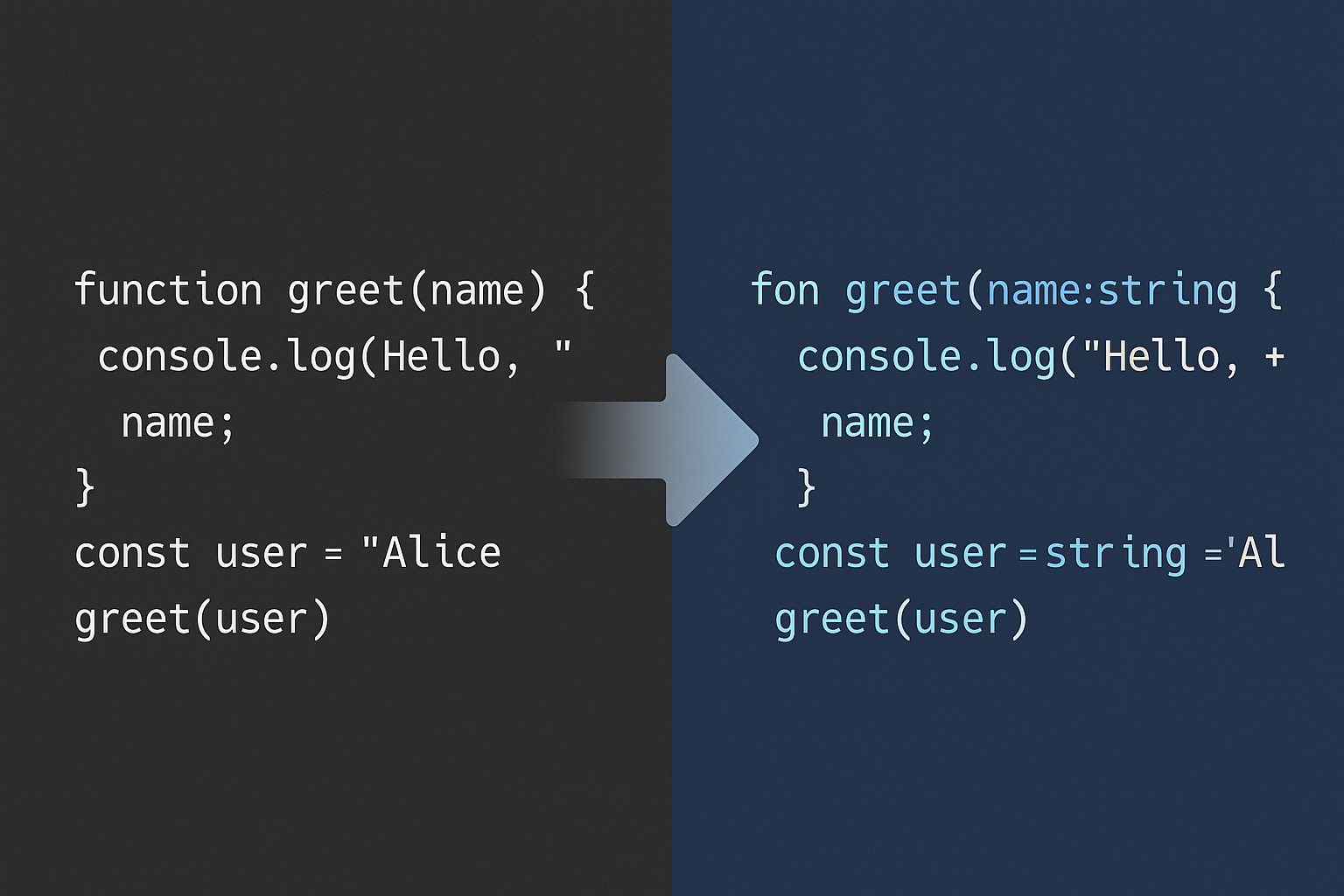
JavaScript is the long-standing language of the web, dynamic and flexible. TypeScript is a superset of JavaScript that adds optional static types, interfaces, enums, and other features that help teams reason about their code at scale. TypeScript compiles to JavaScript, so the runtime behavior remains identical, while the build step provides early feedback about types. For teams evaluating a switch, the decision often hinges on whether the extra type discipline will translate into lower defect rates and faster onboarding, especially as codebases and teams grow.
Both languages run anywhere JavaScript runs: in the browser, on Node.js, and in other runtimes. The difference is in how strictly you want to enforce contracts in code. Here is a simple illustration to contrast TS and plain JS:
// TypeScript
function greet(name: string): string {
  return `Hello, ${name}`;
}
// JavaScript (same function without types)
function greet(name) {
  return "Hello, " + name;
}
Why TypeScript benefits for business teams
Static typing helps catch a broad class of errors during compilation rather than at runtime. This early feedback is valuable in teams where multiple developers touch the same surface area. The compiler, along with IDEs, can surface intended usage, highlight mismatches, and provide smarter autocompletion. Over time, this reduces the cognitive load required to understand a module and accelerates pair programming and onboarding.
Beyond correctness, TypeScript increases the readability of intent. Interfaces and type aliases communicate expectations clearly, and public APIs can be documented through typings rather than separate docs. While documentation is still essential, the type system acts as a living contract that stays closer to the code. The result is a lower risk of regressions when refactoring or extending existing features.
Teams often report that TypeScript helps with maintainability at scale. In practice, this means you can assign new contributors to a module with less fear of breaking changes, and you can refactor more confidently when the codebase has well-typed surfaces. It also tends to improve IDE efficiency: better suggestions, quicker navigation, and faster diagnostics support the business goal of delivering features more reliably.
Here is an example showing how an interface contracts the shape of an object used across functions, making it harder to misuse the API by accident:
interface User {
  id: number;
  name: string;
  email?: string;
}

function formatUser(u: User): string {
  return `${u.name} <${u.email ?? "no-email"}>`;
}
Adoption scenarios for TypeScript
Not every project will benefit equally from TypeScript from day one. Many teams choose to adopt TypeScript incrementally, starting with new modules and gradually typing existing code. Below are common scenarios where TypeScript tends to provide meaningful value:
- New projects with long expected lifespans or multiple contributors
- Large or growing codebases with many modules and public APIs
- Teams prioritizing safer refactors and onboarding efficiency
- Projects that consume or expose strict contracts with external services or libraries
Trade-offs and risk to consider
Adopting TypeScript introduces upfront and ongoing trade-offs. A build step is required, tooling configurations must be maintained, and the mental model of typing may take time to adopt. Some teams initially see slower progress as developers learn new patterns and enforce typing discipline. However, many organizations report that this initial investment pays off through reduced runtime defects and clearer module boundaries.
When deciding how aggressively to type code, consider the following practical risks and guardrails:
- Learning curve for developers new to typed languages, especially if coming from pure JavaScript
- Maintenance of type definitions, especially for third-party libraries without good typings
- Trade-offs around library typings versus dynamic behaviors or complex generics
- Migration strategy that avoids blocking critical shipping timelines
Practical transition steps
For teams ready to test TypeScript in production, a gradual, controlled transition tends to work best. Start with a safe footing and expand as confidence grows. Principles include enabling incremental typing, preserving fast feedback loops, and documenting typing conventions for the team.
Key transition practices you can adopt in the first 60 days include the following steps:
- Configure a permissive initial tsconfig that allows JavaScript and gradually enforces typing (noImplicitAny, strict) as you progress
- Start TypeScript adoption in new modules or services before converting older code to reduce risk
- Use eslint-plugin and ts-eslint rules to enforce consistent typing across the codebase
- Prioritize typing for public APIs and core modules that are touched by multiple teams
Tooling, ecosystems, and patterns
TypeScript integrates with common frameworks and tooling stacks. The compiler options in tsconfig.json control how aggressively you enforce types, transpile targets, and module resolution. IDEs like VS Code offer strong TypeScript support, including inline type information and quick navigation. In practice, the most effective setups combine TypeScript with linting, formatting, and test type checks to keep the codebase robust.
Another practical advantage is library typings. For libraries without built-in typings, the community maintains type definitions that you can install from DefinitelyTyped. This makes it possible to safely use popular libraries such as React, Node, Express, and many others in a typed manner. As teams mature, you can expose internal libraries with well-typed public surfaces, which also helps with onboarding and API stability.
Real-world patterns and potential pitfalls
Even with a plan, teams encounter patterns that require care. A common pitfall is over-reliance on any or permissive typing that defeats the benefits of TypeScript. Another issue is typing asynchronously flowing across API boundaries, where the actual data shapes may evolve faster than the interfaces describe. A disciplined approach—starting with strict mode on a subset of modules, gradually tightening rules, and documenting decision criteria—helps maintain a healthy balance between speed and safety.
In addition, maintain a strategy for migrating old JavaScript files. Options include migrating files one by one, enabling checkJs to type-check JavaScript alongside TypeScript, and gradually introducing interfaces and types as the team becomes more comfortable with the style.
Note: TypeScript is not a silver bullet. Its value grows when teams use it consistently to articulate intent and enforce boundaries at the points where complexity most often arises.
FAQ
Is TypeScript necessary for all JavaScript projects?
No. TypeScript is most valuable for teams dealing with growing codebases, multiple contributors, or long-lived projects where maintainability and safety are priorities. For small, short-lived scripts or prototypes, plain JavaScript may be more expedient.
How long does a typical migration take?
There is no one-size-fits-all timeline. A gradual adoption plan over weeks to months—starting with new modules, enabling incremental typing, and expanding coverage as comfort grows—can yield steady progress without blocking shipping timelines.
Does TypeScript slow down development at first?
It can initially slow pace as developers adapt to typing disciplines and tooling. Over time, however, teams often report faster implementation and fewer regressions, especially in larger codebases with more contributors.
Should small teams adopt TypeScript?
Yes, if the project is expected to scale or be maintained by multiple developers. Small teams can still benefit from clearer contracts, safer refactors, and improved onboarding, though they may choose a lighter configuration at first.
What about type definitions for libraries?
Many popular libraries ship their own typings; for others, DefinitelyTyped provides community-maintained definitions. When a library lacks types, you have options: write minimal typings for your usage, or use the library in a gradually-typed way until typings catch up.