Now Reading: Domo Alternatives: Top BI Platforms to Evaluate
-
01
Domo Alternatives: Top BI Platforms to Evaluate

Power BI
Power BI presents a cost-conscious entry point for organizations evaluating a Domo alternative, especially for teams already embedded in the Microsoft ecosystem. For many small to mid-size deployments, Power BI Pro licenses offer a predictable per-user cost, while larger organizations can consider Premium capacity to scale dashboards and content sharing without multiplying per-user licenses. This pricing approach helps organizations forecast total cost more reliably while still delivering rich analytics, interactive visuals, and a familiar authoring experience. In practice, the tight integration with Excel and the broader Microsoft stack accelerates data preparation, enables rapid prototyping, and lowers the barrier to adoption for business users who are comfortable with office tools.
Beyond licensing, Power BI provides extensive data connectivity across cloud and on‑prem sources, including SQL Server, Azure services, Dynamics 365, and a wide mix of third‑party databases. Its data modeling environment supports DAX calculations and Power Query transformations, enabling sophisticated measures and time‑intelligent analyses without needing separate tools. For governance, Power BI offers workspace-based content isolation, row-level security, and centralized deployment pipelines that help IT teams balance control with the agility business users expect. When teams need quick wins and a path to broader adoption, Power BI tends to land well due to its native Office integration, strong community resources, and ongoing AI-powered insights that surface patterns in data with minimal configuration.
- Cost-effective licensing with Per-User Pro and capacity-based options
- Seamless Excel and Microsoft 365 integration for familiar workflows
- Rich data modeling with DAX and Power Query
- AI visuals, natural language queries, and storytelling capabilities
- Extensive connectors to on‑prem and cloud data sources and robust governance
Tableau
Tableau is widely recognized for its emphasis on data visualization and exploratory analytics. It enables analysts to build highly interactive dashboards that respond quickly to user actions, making it a strong choice for organizations that prioritize storytelling with data. Deployment options include Tableau Server for on‑prem environments and Tableau Online in the cloud, offering flexibility in where data and dashboards live and how they’re managed. When weighing Tableau against Domo, buyers should assess licensing structure, deployment overhead, and the organization’s capacity to implement and govern a multi‑user analytics program.
Tableau’s strength lies in its visual language and breadth of formatting and calculation controls, which appeal to analysts who want fine‑grained control over visuals and metrics. It also supports wide data source connectivity and can scale to large user bases with appropriate governance. For teams that regularly share dashboards with executives, partners, or customers, Tableau’s distribution options, security model, and API ecosystem can translate to faster time‑to‑insight and more reliable, auditable analytics.
- Advanced visualization capabilities and interactivity
- Robust governance with role-based access and centralized data sources
- Flexible deployment options: Tableau Server and Tableau Online
- Active user community and extensive learning resources
- Strong support for large, diverse data sources and dashboards
Looker
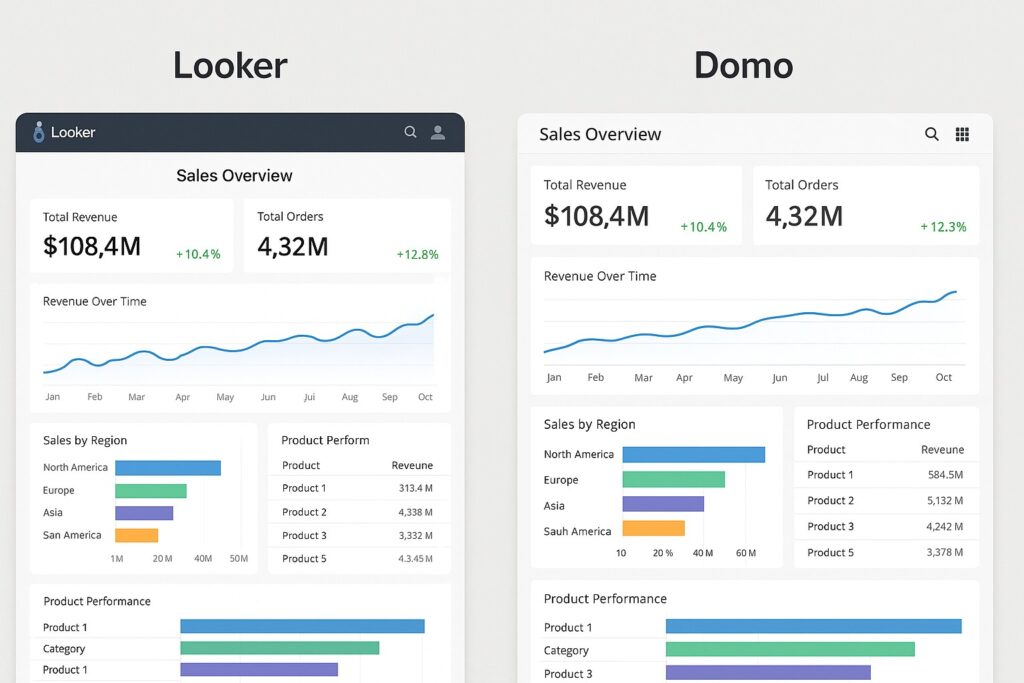
Looker emphasizes a cloud‑native architecture and a centralized semantic layer that defines metrics once and reuses them across dashboards, reports, and embedded analytics. This LookML approach helps reduce metric drift and enables product teams, finance, and data science to speak a common language about performance. Looker’s integration with major cloud data warehouses and Google Cloud services makes it well suited to modern data stacks that prioritize governance, scalability, and embedded analytics in applications or portals.
Looker can be a strong fit when your data stack relies on cloud warehouses (BigQuery, Snowflake, Redshift) and you want governance at scale, with a unified metric layer and centralized access control. However, Looker requires data modeling expertise and a potential licensing consideration for wider adoption, especially if there is significant reliance on non-technical users who want to rapidly compose dashboards. When these conditions align with your data strategy, Looker often delivers consistent analytics, strong security, and flexible embedding options.
- LookML modeling that standardizes metrics and definitions
- Centralized governance with shared metrics and access controls
- Embedded analytics and API capabilities for product dashboards
- Cloud‑native deployment and scalable performance
- Robust integration with Google Cloud, BigQuery, Snowflake, and Redshift
FAQ
What are the core differences between these platforms and Domo?
The main differences lie in data modeling approach, licensing, deployment options, and the emphasis on governance. Domo tends to combine data ingestion and app-like analytics in a single cloud service, whereas Power BI often lends itself to Microsoft ecosystem alignment; Tableau focuses on visualization and publication; Looker emphasizes a semantic model and embedded analytics. Your choice will depend on whether you value a unified data fabric, depth of visualization, or a cloud-native modeling layer, as well as the cost structure and internal capabilities available to support ongoing governance and adoption.
Which platform is best for small teams with limited budgets?
Power BI generally offers the most affordable entry point for small teams due to per‑user licensing and competitive pricing, plus a familiar interface for Excel users. Tableau can be effective when strong visual storytelling is essential but may involve higher licensing and maintenance costs. Looker can scale nicely in cloud environments but typically requires broader investment in data modeling and governance. The best approach is to pilot one platform with a small group, measure time to insight, and weigh the total cost of ownership against the expected business impact.
How do these tools handle data governance and security?
All three platforms provide governance features, including role-based access, content permissions, and data lineage capabilities, but they implement them differently. Power BI emphasizes workspace governance and deployment pipelines within the Microsoft ecosystem. Tableau offers centralized security controls and row-level security for data sources. Looker builds governance into its semantic layer with LookML, enabling consistent definitions across dashboards and embedded analytics. Your best fit depends on how centralized you want metric definitions to be and how you plan to enforce access controls across teams and data domains.
What about training and onboarding time for new users?
Training time varies by platform and prior user experience. Power BI often benefits from widespread familiarity with Excel and Office tools, potentially shortening onboarding for business users. Tableau training tends to focus on data visualization techniques and dashboard design, which can require deeper practice for complex dashboards. Looker onboarding typically emphasizes learning LookML and the semantic modeling approach, which may require more initial investment from data engineers but yields longer‑term consistency in analytics. In all cases, leverage vendor resources, community forums, and structured enablement programs to accelerate adoption.