Now Reading: Object Storage vs Block Storage vs File Storage
-
01
Object Storage vs Block Storage vs File Storage

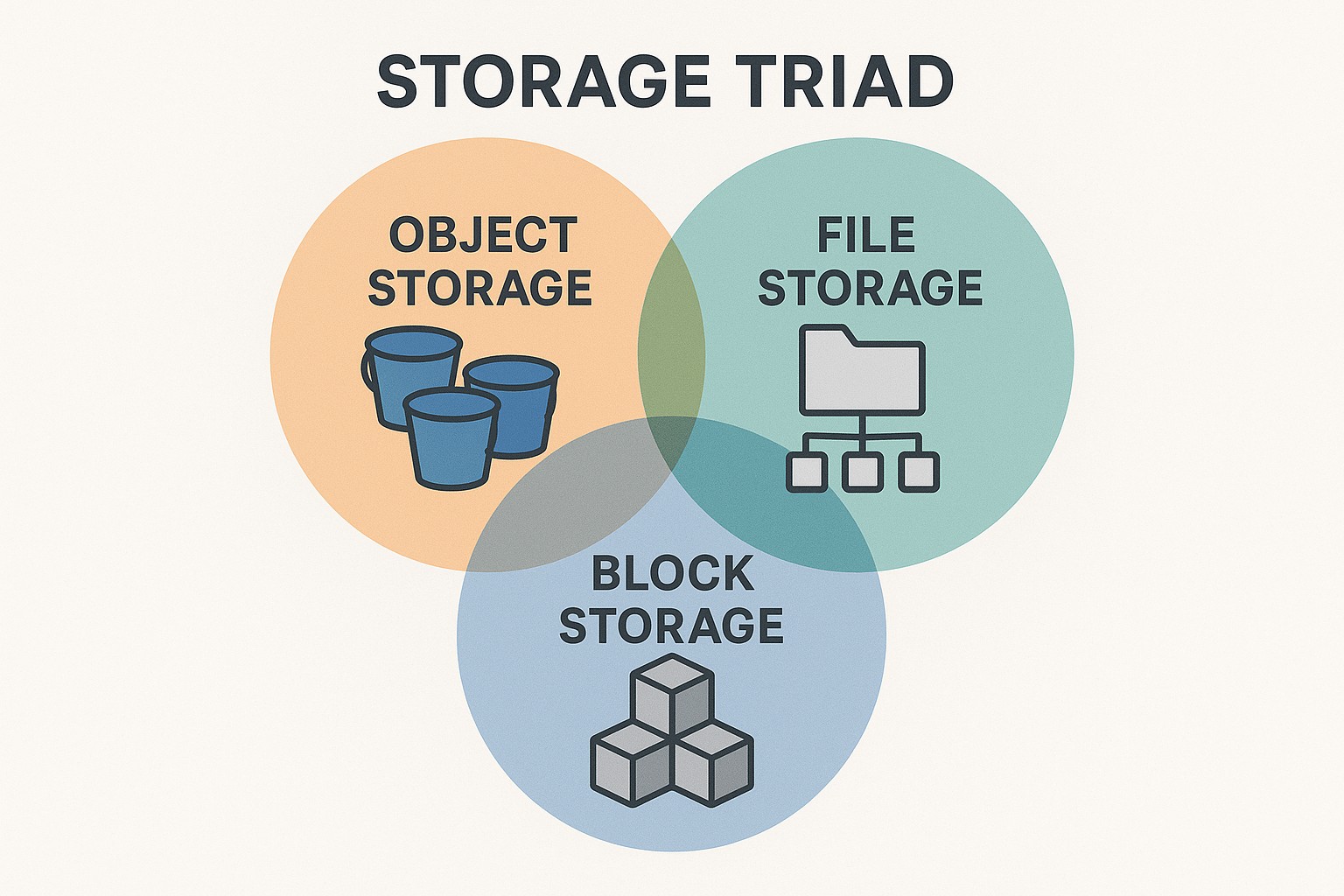
Overview: Comparing Object, Block, and File Storage
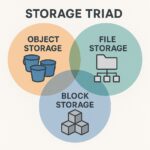
In modern IT environments, storage is not a one-size-fits-all concern. Object storage, block storage, and file storage each solve distinct problems and optimize for different workload patterns, access methods, and operational models. Understanding these differences helps organizations align their data strategy with performance needs, cost considerations, and security requirements. This article explains how each model works, where it shines, and how to evaluate them for cloud or on‑premises deployments.
Choosing among these storage paradigms hinges on data type, access frequency, scalability requirements, and integration capabilities. Object storage excels at large-scale, durable archives and cloud-native applications that access data via APIs. Block storage provides low-latency, high-performance volumes suitable for databases and transactional workloads. File storage supports shared access to a hierarchical namespace, enabling traditional file sharing and collaboration workflows. Across all three, considerations such as data durability, consistency guarantees, network latency, access controls, and pricing models play a central role in a sound architecture.
Object Storage: How it works and when to use it
Object storage represents data as discrete units called objects, each with a unique identifier, metadata, and a data payload. Unlike a traditional file system, there is no hierarchical directory structure; instead, objects are retrieved via APIs over HTTP/HTTPS. This model is designed for massive scalability, reliability, and global accessibility, making it a natural fit for unstructured data such as backups, media, logs, and scientific datasets. Typical cloud-native applications use object storage for durable storage of large datasets and as an origin for content delivery networks.
Key characteristics of object storage include its API-driven access, metadata flexibility, and strong durability through multi-site replication. Objects are stored in flat namespaces and can be retrieved by a simple URL or API call, often with built-in versioning and lifecycle rules. Over time, object storage services have grown to support features such as erasure coding for capacity efficiency, automatic data healing, and seamless geographic distribution. For security and compliance, object storage commonly offers server-side encryption at rest and in transit, along with fine-grained access policies and identity-based controls.
– Highly scalable and cost-effective for large, infrequently accessed data
– API-centric access with rich metadata and lifecycle management
– Durable across regions through replication and erasure coding
– Eventual consistency in some configurations, with strong consistency options in others
– Metadata-driven search and object tagging to enable policy-based workflows
Object storage is often the backbone for cloud backups, content repositories, data lakes, and media archives. For cloud provider security comparisons, it is important to consider access controls at the bucket or container level, encryption methods, and the guarantees around data durability and cross‑region replication. While object storage shines in scale and resilience, it is not optimized for low-latency random access or traditional file-system semantics, which influences its suitability for certain workloads.
Block Storage: Direct-attached, structured volumes for high performance
Block storage presents data as fixed-size blocks within a volume that behaves like a raw hard drive to the host system. These blocks are addressed by their logical block addresses and are typically mounted to virtual machines or container hosts as a block device. Because the storage is presented with minimal interpretation by the storage system, the host operating system is responsible for managing a filesystem, databases, and any data integrity protection. Block storage is a natural choice for latency-sensitive workloads that require predictable IOPS and consistent throughput, such as relational databases, transactional systems, and high-performance applications.
The performance profile of block storage centers on low latency, high IOPS, and predictable reliability. It is common to provision IOPS (or performance levels) independently of capacity, enabling tight control over how fast data can be read or written. Block storage often supports features such as thin provisioning, snapshots, clones, and encryption, which helps with operational agility and data protection. Because the volume is typically attached to a single compute node, latency is minimized, but this also means that high availability often relies on the underlying infrastructure and replication strategies rather than shared access.
Key characteristics of block storage include its structured, low-latency access model and its ability to support databases and other write-intensive workloads. It is effectively a fast, local-like disk presented remotely, with the ability to scale capacity while maintaining consistent performance levels. In a cloud provider security comparison, block storage’s security considerations focus on the access path to the volume, encryption in transit and at rest, and robust authentication for the compute resources that attach the volume. Data protection often relies on snapshots and replication across zones to guard against failure.
– Low-latency, high-throughput access suitable for databases and critical apps
– Direct attachment to compute resources with predictable IOPS
– Filesystems and applications manage data layout, durability, and consistency
– Snapshots and cloning enable rapid backups and dev/test environments
– Strong emphasis on encryption, access control, and network isolation
Block storage is the preferred option when you need fast, consistent performance for structured data and write-heavy workloads. It complements object storage by providing the performance envelope required for transactional processing, while still benefiting from the elasticity and management features provided by modern cloud infrastructures. In security discussions, ensure that volume encryption, key management, and access controls align with your organization’s risk posture and regulatory requirements.
File Storage: Shared access with a hierarchical namespace
File storage provides a traditional file system interface over a network, exposing a hierarchical namespace that enables directories and files to be organized and shared among multiple clients. It is typically accessed via standard network protocols such as NFS or SMB, making it familiar to users and applications that rely on shared filesystem semantics. This model is well suited for collaborative environments, home directories, content management workflows, and applications that expect POSIX-compatible file access patterns.
The strengths of file storage lie in its support for concurrent access, simple file sharing, and compatibility with legacy applications that expect a file-based interface. Shared access is easy to configure for multiple users and machines, and permissions are managed at the file and directory level. For performance considerations, file storage benefits from caching, metadata operations on directory listings, and network throughput. Security and governance in file storage typically focus on access control lists, identity federation, and auditing of file activities, with encryption for data at rest and in transit as standard options.
Key characteristics of file storage include its hierarchical namespace, compatibility with existing applications, and straightforward permissions model. It is particularly strong for user home directories, shared project folders, and content collaboration platforms. From a cloud security perspective, file storage requires careful attention to access controls across the shared namespace, encryption in transit and at rest, and monitoring of file operations to detect unauthorized access or exfiltration attempts.
– Shared access to a common filesystem for multiple users and systems
– Hierarchical organization with directories and files
– Supported via NFS, SMB (CIFS), and other network file protocols
– Strong for collaboration, content sharing, and legacy app compatibility
– Security relies on ACLs, authentication, and encryption, with auditing capabilities
File storage excels where teams need a familiar, centralized repository for documents, media, and project data. It complements object and block storage by offering a readable and writable file system that users and applications can mount and interact with directly. In cloud provider security comparisons, evaluate who can mount, how mounts are secured, and how file permissions and share-level policies are enforced across the organization.
Performance, security, and operational considerations across storage types
Performance profiles differ markedly among the three models. Object storage is optimized for throughput and scale, with latency typically higher than block storage for individual operations but superior for sequential access and large transfers. Block storage delivers the lowest-latency access and the most predictable performance, making it ideal for latency-sensitive workloads. File storage balances accessibility and performance for shared access, with performance improving as the file system and network stack are optimized.
Security considerations vary by model. All three generally support encryption at rest and in transit, but the granularity of access control and auditing differs. Object storage relies on bucket-level or object-level policies and API keys or IAM roles, with cross-region replication introducing additional security considerations. Block storage emphasizes secure attachment policies, key management for volume encryption, and protection of the host or container where the file system resides. File storage focuses on network access controls, share-level permissions, and auditing of access to the shared namespace.
Operationally, lifecycle management and data governance are essential for cost control and compliance. Object storage often provides lifecycle rules to transition data to cheaper storage tiers or to delete aged data. Block storage uses snapshots and replication for DR, recovery, and cloning environments. File storage benefits from quotas, snapshots, and versioning where supported, assisting with data retention policies and user accountability. When planning a hybrid or multi-cloud deployment, consider how data will be moved, synchronized, and backed up across these different storage tiers to meet RPOs and RTOs.
Typical use cases and choosing the right storage model
Object storage is a strong fit for unstructured data, long-term archives, media libraries, backups, and analytics datasets that are accessed via APIs. It scales with demand and provides cost efficiency when data is accessed infrequently. Block storage is preferred for databases, real-time analytics, and workloads requiring low latency and high IOPS. File storage serves teams that need shared access to documents, software builds, and project data, while still benefiting from centralized management and straightforward permissions.
When evaluating cost and performance, consider the workload profile, data growth trajectory, and geographic distribution. Object storage often offers lower per‑gigabyte costs at scale but may incur higher access charges for frequent reads. Block storage tends to have higher per‑gigabyte costs but delivers predictable latency and bandwidth for critical applications. File storage pricing typically reflects both capacity and I/O operations, with performance tiers that can be tuned to meet workload demands. A careful cost-benefit analysis should include data transfer costs, replication and DR costs, and the operational overhead of managing each storage type.
For organizations aiming to optimize a cloud provider security comparison, map data sensitivity and regulatory requirements to appropriate storage choices and policies. For highly sensitive or regulated data, ensure encryption keys are managed securely, access controls are consistently enforced, and audit trails are comprehensive across all storage layers. In many environments, a mixed approach—object storage for backups and archives, block storage for databases, and file storage for collaboration—yields a balance of cost, performance, and governance.
FAQ
What are the main differences between object, block, and file storage?
Object storage stores data as discrete objects with metadata and API-based access, scaled across regions; block storage provides raw volumes attached to compute resources with a filesystem managed by the host; file storage offers a shared hierarchical namespace accessible via standard network file protocols. Each model optimizes for different workloads: object for scalability and data lakes, block for low-latency databases, and file for collaborative file sharing.
When should I choose object storage versus block storage?
Choose object storage for large volumes of unstructured data, backups, and media where scalability and cost efficiency matter more than single‑digit‑millisecond latency. Choose block storage for latency-sensitive, transactional workloads such as databases and real-time applications that require predictable IOPS and direct access to a virtual machine or container host.
When is file storage the best fit?
File storage is best when multiple clients need shared access to a common filesystem with hierarchical organization, such as user home directories, content repositories, build artifacts, or collaborative projects. It is especially suitable when applications expect POSIX-like file semantics or need straightforward file-based permission management.
How do performance and latency differ across storage types?
Object storage prioritizes scalability and throughput with higher latency for small, individual operations but excels in large transfers and sequential access. Block storage delivers the lowest latency and the most consistent IOPS, ideal for transactional workloads. File storage provides moderate latency with shared access benefits, suitable for collaborative workflows and applications that rely on a filesystem interface.
What security considerations are most important when comparing these storage types?
All three types should support encryption at rest and in transit, strong identity and access management, and auditing. Object storage focuses on bucket/object policies and API security; block storage emphasizes secure volume attachment, key management, and host isolation; file storage relies on share permissions, user authentication, and network access controls. A cloud provider security comparison should assess how access is granted, how keys are managed, and how activities are monitored across all storage layers.