Now Reading: Progressive Web Apps (PWA) vs Native Apps: Pros and Cons
-
01
Progressive Web Apps (PWA) vs Native Apps: Pros and Cons

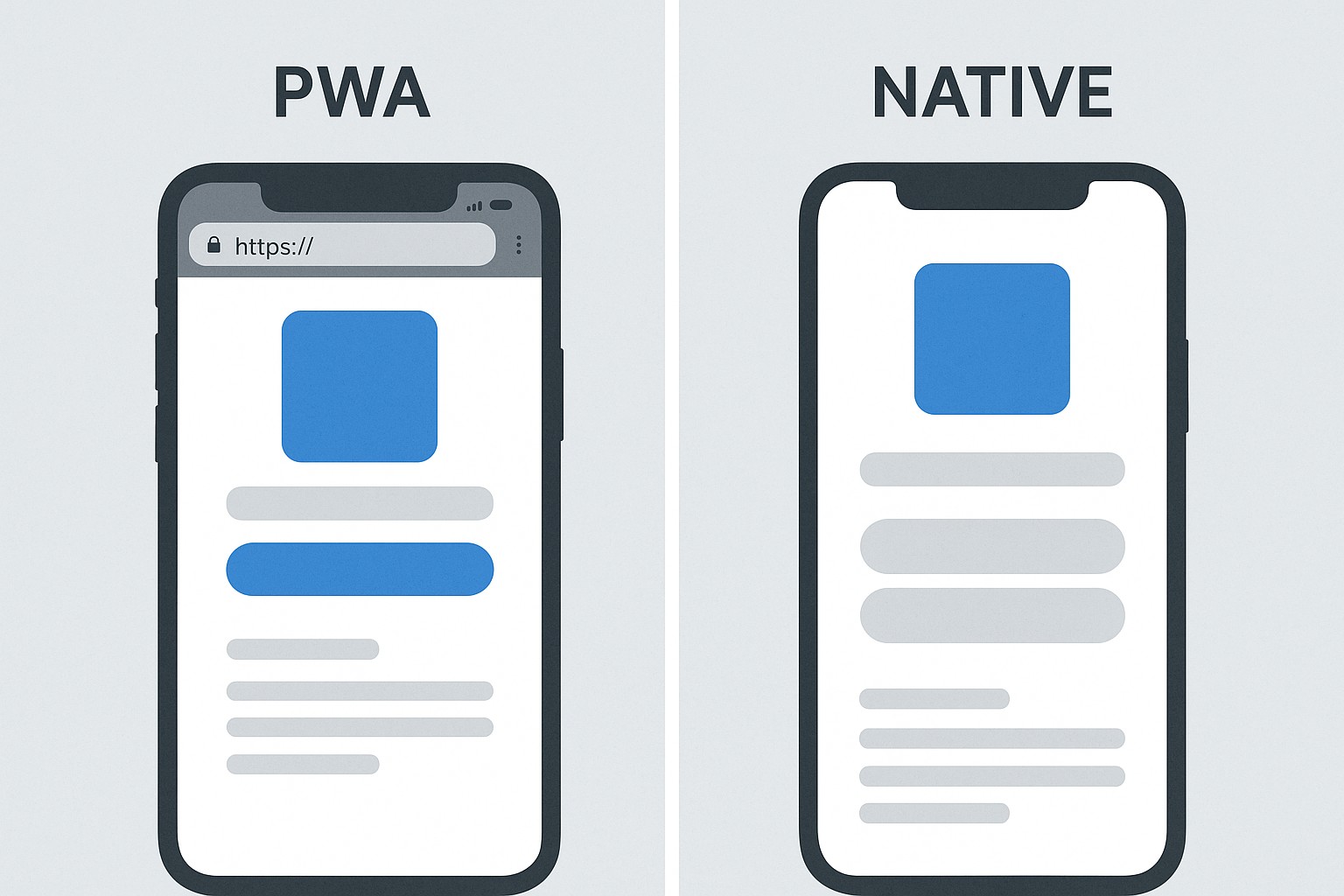
Overview: PWAs vs native apps
Progressive Web Apps (PWAs) are web applications designed to feel like native apps. They use modern web technologies such as service workers and a web app manifest to deliver installable experiences across devices through a single codebase. PWAs run in a browser but can be added to the home screen, launched in a standalone window, and leverage caching to work offline or on flaky networks. For businesses, PWAs present a lower barrier to entry: no separate submission to multiple app stores, automatic updates, and the ability to reach users wherever they browse. From a development perspective, PWAs enable teams to reuse skills from web development frameworks and languages, reducing the context switching required to support Android, iOS, and desktop environments.
Native apps, by contrast, are built with platform-specific technologies (Swift/Objective-C for iOS, Kotlin/Java for Android). They typically provide deeper device integration, higher performance, and more consistent access to platform features. Native apps must be submitted and distributed through app stores, which introduces governance, review cycles, and potential delays for updates. For a business with a dedicated mobile product, native development can deliver richer experiences, sophisticated offline modes, and monetization strategies that align with the expectations of a highly engaged user base. The decision between PWAs and native apps often hinges on user needs, budget, time-to-market, and the desired level of control over distribution and hardware access.
Pros of Progressive Web Apps
PWAs are designed to be cross-platform first, with an emphasis on rapid iteration and broad reach. They provide several practical advantages for organizations that want to minimize platform-specific risk while still delivering a polished user experience. The following attributes are often cited by product and engineering teams as core benefits of PWAs.
- Faster time-to-market and simpler deployment across Android, iOS, and desktop browsers, with updates delivered automatically over the network
- Unified codebase and development pipeline that reduces duplication of effort across platforms
- Automatic updates, easy versioning, and a lower risk of users running outdated software
- Broad reach through web discovery, shareable links, and social distribution without requiring a store presence
- Offline resilience and dependable performance through service workers and caching, enabling usable experiences on flaky networks
As the ecosystem around PWAs matures, support for offline features, push notifications, and background tasks continues to improve on major platforms. On Android, PWAs often feel indistinguishable from native apps in terms of capabilities, while iOS support remains evolving, with occasional gaps in background processing or certain hardware access. For many teams, a PWA represents a pragmatic foundation that can be enhanced with native wrappers or selective native modules when needed.
Pros of Native Apps
Native apps excel where performance, device integration, and a premium feel matter most. They can deliver fluid animations, responsive inputs, and tight memory management that contribute to a seamless user experience. For apps that rely on real-time data, sensor input, augmented reality, or complex offline scenarios, native development often provides a more predictable and controllable path to success.
Beyond raw performance, native apps generally offer stronger monetization opportunities through app stores, subscriptions, and in-app purchases. They also benefit from platform-specific UI patterns that meet user expectations and provide consistent navigation, accessibility support, and localization. While native development requires separate codebases, the payoff is a degree of control over the user journey that is difficult to achieve with PWAs.
- Deep integration with device hardware and platform services (camera, sensors, biometrics, AR, GPS, Bluetooth)
- Highest possible performance and smooth UX, with optimized rendering and reduced energy usage on target hardware
- Robust offline capabilities and background processing when supported by the OS
- Access to native UI conventions, notifications, and system-level features that align with user expectations
- Clear monetization channels through app stores and in-app purchase ecosystems
Key trade-offs and challenges
Choosing between PWAs and native apps involves weighing trade-offs in areas like distribution, access to hardware, performance, and time-to-market. PWAs deliver broad reach and rapid iteration, but their offline capabilities and device integrations are bounded by browser features and platform limitations. While Android offers strong support for PWAs, iOS has historically imposed more constraints on background tasks, push notifications, and file system access, though this is gradually improving. For teams focused on content-driven experiences or services that need to be available everywhere, PWAs can be a compelling first step or a long-term strategy alongside native apps.
Native apps deliver the strongest guarantees for performance, engagement, and advanced hardware interactions, but at a higher development and maintenance cost. Supporting multiple platforms often means separate codebases, parallel release cycles, and more complex testing. In practice, many organizations adopt a blended strategy: start with a PWA to capture a wide audience and then invest in native components or bridges for features that require deeper device access or premium monetization. The choice is rarely binary; it is a spectrum shaped by product goals, risk tolerance, and budget.
In practice, a common pattern is to treat PWAs as the first, broad-coverage layer and reserve native code paths for features that clearly justify the additional investment.
Guidance: when to choose PWAs vs native
For teams that prioritize speed, lower upfront cost, and wide distribution, a Progressive Web App offers compelling advantages. A PWA can be indexed by search engines, installed on the home screen, and updated over the air without requiring users to visit an app store. If your product goals center on content delivery, collaboration, and lightweight interactivity across many devices, starting with a PWA often minimizes risk and accelerates learning.
If the product demands high-performance graphics, offline-first capabilities, or deep integration with platform-specific features (such as advanced camera controls, background processing, or secure authentication flows) and monetization through app stores is a priority, native development or a hybrid approach with native modules should be considered. A blended strategy can also be effective: ship a PWA for broad reach and add native wrappers or features for platforms where user value is strongest.
// Example manifest.json (simplified)
{
  "name": "Example App",
  "short_name": "Example",
  "start_url": "/",
  "display": "standalone",
  "scope": "/",
  "icons": [
    { "src": "/icon-192.png", "type": "image/png", "sizes": "192x192" }
  ]
}
// Example service worker registration (JavaScript)
if ('serviceWorker' in navigator) {
navigator.serviceWorker.register('/service-worker.js')
.then(() => console.log('Service worker registered'))
.catch(error => console.error('Service worker registration failed', error));
}FAQ
What is a Progressive Web App?
A Progressive Web App is a web application that uses modern web technologies to deliver installable, offline-capable experiences that work across devices through a single codebase, while feeling like a native app when launched from the home screen.
Do PWAs work offline?
PWAs can work offline or on unreliable networks when they use service workers to cache assets and data. The extent of offline capability depends on how the app is built and what data must be available offline; some features may require a network connection.
Are PWAs SEO-friendly?
Yes, because PWAs are fundamentally web pages hosted at URLs, they can be indexed by search engines. Proper SEO practices apply to the underlying pages, and the manifest itself does not hinder discovery.
Can PWAs access device hardware?
PWAs can access certain device features via web APIs (geolocation, camera, microphone, vibration) with user permission. Access to deeper hardware like Bluetooth, sensors, or AR may require native or hybrid approaches and varies by platform.
Should I publish PWAs in app stores?
Publishing a PWA in stores is optional. Android supports Progressive Web Apps through Chrome and the Play Store via Trusted Web Activity in some contexts, while iOS supports PWAs through Safari on-device; some stores may provide wrappers for distribution. Many teams publish primarily as a web app and distribute via home screen installation without a store.