Now Reading: What is Autodesk Platform Services (APS)?
-
01
What is Autodesk Platform Services (APS)?

What is Autodesk Platform Services (APS)?
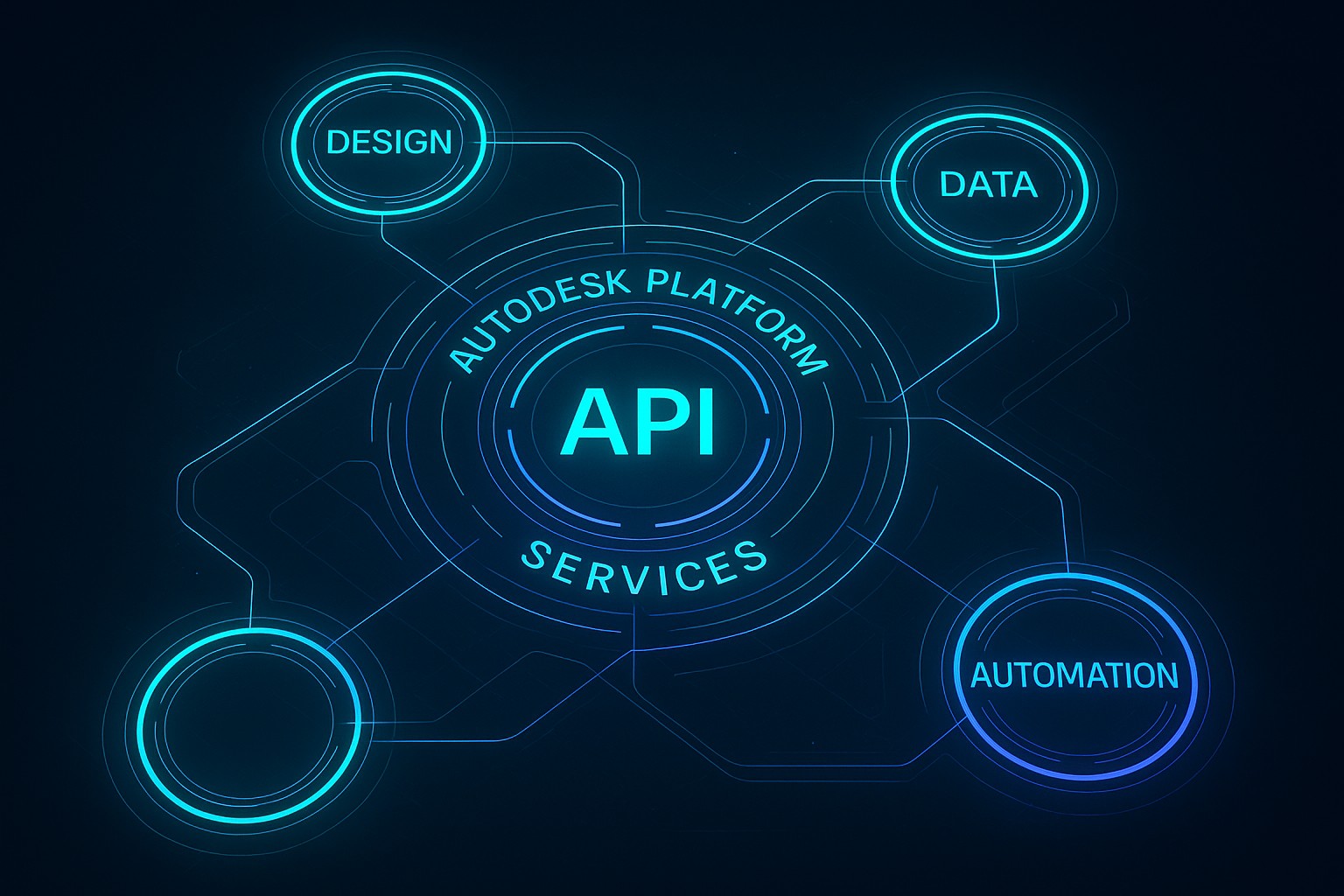
Autodesk Platform Services (APS) is a cloud-based development platform that provides programmatic access to Autodesk’s design and engineering data through a cohesive set of RESTful APIs and services. It represents the evolution of Forge, Autodesk’s earlier cloud platform, and serves as the backbone for building custom software solutions that automate, transform, and integrate design workflows across systems. APS is designed to enable developers to scale their applications without managing the underlying infrastructure, while maintaining strong security and governance.
With APS you can build applications that ingest, process, visualize, and synchronize 2D and 3D content across disciplines such as architecture, engineering, construction, and manufacturing. The platform emphasizes scalability, security, and interoperability, allowing organizations to extend Autodesk data and capabilities into enterprise dashboards, analytics pipelines, and partner ecosystems. By consolidating data access, processing, and integration capabilities, APS helps teams reduce time-to-value for bespoke engineering software deployments.
Key components and APIs
The APS API family is organized around core capabilities that cover data management, model processing, automation, and ecosystem integration. By combining these services, teams can implement end-to-end workflows without the overhead of building low-level infrastructure.
What follows is a concise overview of the key APIs most organizations rely on when designing APS-powered solutions.
- Data Management API — storage, versioning, permissions, and secure access to project files and model data
- Model Derivative API — conversion, extraction, and thumbnail generation for viewing and analytics
- Design Automation API — batch-oriented processing on CAD software for automated tasks like parameterized updates and batch conversions
- Reality Capture API — support for photogrammetry, point clouds, and mesh processing workflows
- Authentication and Access — OAuth 2.0, token lifecycles, and per-tenant credential management
- Webhooks and Event Notifications — real-time updates and event-driven orchestration for automated pipelines
How APS enables integration and development
APS provides a cohesive developer experience through a combination of REST APIs, SDKs, and developer tooling that abstracts many repetitive tasks. This enables teams to focus on business logic rather than infrastructure concerns. Common integration patterns include bridging design data with enterprise systems, orchestrating model processing on ingest, and enabling asynchronous, event-driven workflows that respond to changes in data state.
Organizations frequently use APS to connect design data with enterprise resource planning (ERP), manufacturing execution systems (MES), or product lifecycle management (PLM) platforms. The platform supports both synchronous queries for interactive applications and asynchronous processing for large-scale transformations, allowing developers to design responsive front-end experiences while offloading heavy work to scalable back-end services.
Architectural patterns and data flows
APS is designed around modern cloud-native principles. It emphasizes stateless services, scalable APIs, and a modular architecture that supports independent evolution of each API surface. Typical architectures employ token-based authentication, granular scopes, and rate limiting to enforce security and reliability. Event-driven patterns leverage webhooks to trigger downstream tasks, ensuring that systems can react to changes in near real time.
In practice, a common data flow might begin with uploading source files via the Data Management API, followed by a model derivative operation to generate viewable formats, then an automated design task using the Design Automation API, and finally the dissemination of results to downstream systems or dashboards. Throughout this flow, event notifications and logging provide observability and control, enabling operators to monitor throughput, errors, and latency across the pipeline.
Security, governance, and reliability
Security and governance are foundational to APS, given the sensitivity of engineering data and the scale of cloud-based workflows. The platform supports industry-standard security practices, including OAuth 2.0-based authentication, scoped access, and robust auditing. Data can be encrypted in transit and at rest, with configurable residency options and strict access controls to ensure that only authorized applications and users can perform operations.
Reliability is addressed through retry-friendly APIs, idempotent operations where appropriate, and clear service-level expectations communicated via documentation and support channels. Organizations can implement per-tenant control over permissions, use logging for traceability, and set up monitoring dashboards to observe cumulative usage, error rates, and performance metrics. This framework helps teams maintain stable integrations even as workloads scale or evolve.
- OAuth 2.0 and access tokens for secure API access
- Fine-grained scopes and role-based access control (RBAC)
- Comprehensive audit logs and operational monitoring
- Encryption in transit (TLS) and at rest for sensitive data
- Options for regional data residency and data isolation
- Reliability features including rate limits and automatic retries
Operational considerations: deployment, monitoring, and support
Operational teams planning APS deployments should consider how to structure authentication, data governance, and observability across environments (development, staging, production). The platform’s API-first design makes it straightforward to integrate with existing CI/CD pipelines, enabling automated testing, deployment, and versioning of API clients and server-side components. Proper monitoring should cover request latency, error rates, and resource utilization, with alerts configured for unusual spikes that could indicate bottlenecks or security concerns.
Pricing, licensing, and support should be reviewed as part of the deployment plan. APS usage typically involves considerations around API call volume, data storage, and processing workloads, all of which influence cost. Autodesk provides documentation, sample projects, and developer forums to help teams navigate common integration patterns, along with enterprise assistance options for deeper engagements and custom support needs.
Migration path from Forge to APS and ecosystem
For teams already relying on Forge, APS offers a migration path designed to minimize disruption while delivering the benefits of the newer platform. Migration often involves mapping Forge API calls to APS equivalents, re-authenticating services with OAuth 2.0 tokens, and adjusting data models to align with the APS data management and model derivative workflows. Autodesk typically provides guidance, compatibility notes, and migration tooling to help app developers adopt APS with minimal rework.
Beyond technical migration, APS opens opportunities to modernize architecture by adopting serverless components, improving security posture, and expanding integration points with other cloud services. The ecosystem around APS—documentation, sample apps, and community resources—helps teams learn best practices for resilience, observability, and performance as they transition from Forge-based implementations.
Getting started: design, development, and deployment
Getting started with APS involves a structured approach that aligns with typical software delivery life cycles. Start by defining the scope: which data, which workflows, and which systems must interoperate. Then select the appropriate API surfaces (data management, model derivative, design automation, etc.), configure authentication, and design a secure data model and access strategy. From there, you can implement a minimal viable workflow, validate with test datasets, and progressively expand coverage to production workloads.
To help teams move efficiently, follow a repeatable development pattern that emphasizes modularity, clear contracts between services, and strong error handling. Leverage the APS developer resources for code samples, tutorials, and reference architectures. Establish governance early—define who can create, modify, and publish workflows, how data is versioned, and how results are consumed by downstream systems—to ensure a scalable and compliant implementation.
FAQ
What is APS and how does it relate to Forge?
APS is the modern cloud platform from Autodesk that consolidates and extends the capabilities once exposed by Forge. It provides a unified set of APIs and services designed for scalable, secure, and enterprise-grade integration of design data and workflows. Organizations transitioning from Forge can leverage APS to access new APIs, improved governance, and broader ecosystem compatibility while preserving their core use cases for model processing, data management, and automation.
What APIs are available in APS?
APS offers a family of APIs focused on data management, model processing, automation, and ecosystem integration. The main surfaces include the Data Management API for file storage and access control, the Model Derivative API for conversion and extraction, the Design Automation API for batch processing, the Reality Capture API for photogrammetry workflows, and authentication plus webhooks for secure access and event-driven orchestration.
How do I secure APS in my application?
Security in APS relies on OAuth 2.0-based authentication, with per-tenant tokens and scopes that constrain what an application can do. You should implement least-privilege access, rotate credentials, and monitor for unusual activity using the platform’s auditing and monitoring capabilities. Implementing proper role-based access control, encryption in transit and at rest, and maintaining an accurate data access trail are essential best practices when integrating APS into enterprise environments.
What are typical use cases for APS?
Typical APS use cases include automated model preparation and conversion for downstream visualization, data synchronization between design tools and enterprise systems, batch processing of CAD tasks, and the integration of Autodesk data into custom dashboards or analytics platforms. By enabling programmatic access to design data and processing capabilities, APS helps teams shorten development cycles, improve data integrity, and accelerate decision making across design, construction, and manufacturing contexts.
How do I start a project with APS and where can I get support?
To start, review the official APS documentation, sign up for a developer account, and obtain the required API credentials. Build a small pilot that exercises core APIs (for example, uploading a file, performing a model derivative operation, and retrieving results), then iterate to add automation and integration with other systems. Autodesk offer support channels, sample projects, and community forums to help teams resolve issues, share best practices, and accelerate adoption.