Now Reading: AWS Amplify vs Firebase: BaaS Platform Comparison
-
01
AWS Amplify vs Firebase: BaaS Platform Comparison

Overview
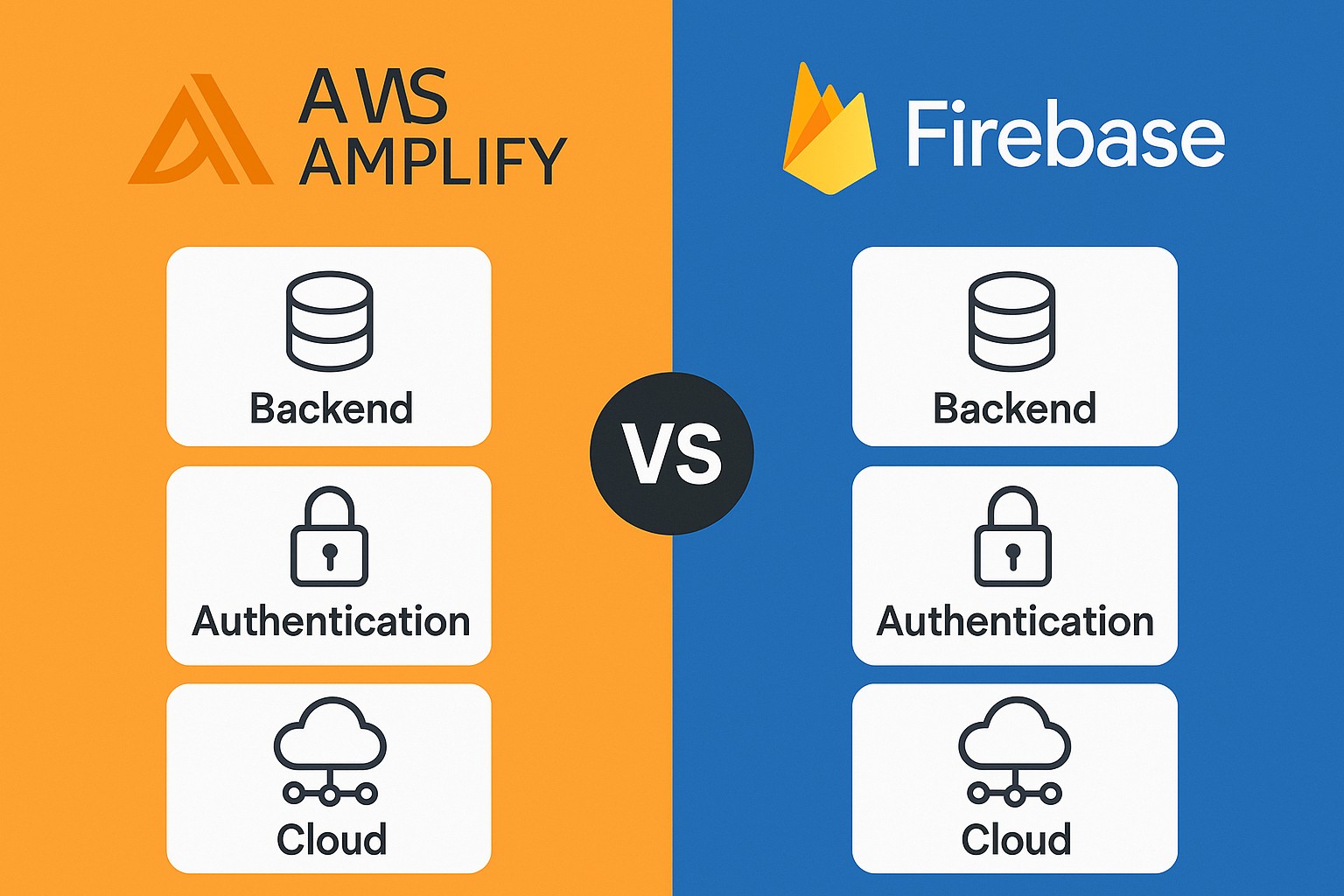
Backend-as-a-Service platforms streamline app development by providing ready-made services for authentication, data storage, APIs, and server-side logic. AWS Amplify and Google Firebase are two of the most widely adopted options in this space, each tying back to a broader cloud ecosystem that can accelerate frontend delivery while reducing operational overhead. For many teams, the choice hinges on how tightly they want to align with a cloud vendor’s broader portfolio, the maturity of tooling, and the governance requirements of their products.
Both platforms aim to simplify the developer experience, but they diverge in architectural posture, pricing signals, and ecosystem strategy. Amplify leans into the AWS suite with a focus on flexibility, enterprise-grade security controls, and deep integration with other AWS services. Firebase emphasizes rapid iteration, a cohesive Google Cloud integration, and a broad feature set for real-time apps and analytics. This article compares Amplify and Firebase across authentication, data modeling, APIs, real-time capabilities, integrations, security, cost considerations, migration paths, and practical use-case advice for business-technical teams.
Authentication and User Management
AWS Amplify relies on Amazon Cognito to manage user identities, authentication flows, and access control. Cognito supports user pools for sign-in, identity pools for federated identities, MFA, passwordless options, and seamless federation with social providers. When used alongside AppSync, Cognito can enforce fine-grained authorization at the API layer, which is valuable for enterprises that require rigorous access governance and auditing across services.
Firebase Authentication provides a streamlined, developer-friendly option for signing in users with email/password, social providers, phone authentication, and anonymous accounts. It integrates tightly with Firestore or the Realtime Database and supports multi-tenant patterns and custom authentication systems. For teams seeking a quick setup with broad provider coverage and straightforward developer experience, Firebase Auth is often a compelling starting point, though more complex enterprise identity requirements may necessitate additional Google Cloud or third-party identity services.
Data Modeling, Databases, and Storage
AWS Amplify can leverage multiple data models through its integration with AWS services. Data modeling often centers on DynamoDB for structured data, with DataStore offering an offline-first, synchronized programming model that can publish changes via AppSync GraphQL APIs. File storage commonly uses S3, and server-side logic can live in Lambda. This combination provides strong consistency, table-based or document-like access patterns, and a robust security model driven by IAM, Cognito, and resource policies.
Firebase favors a document-oriented approach with Firestore as the primary database and the Realtime Database as an alternative for certain real-time workflows. Firestore provides flexible documents/collections, strong client SDKs, and offline persistence, while Cloud Storage handles binary assets. The Firestore/Storage pairing is designed for high developer velocity, with real-time listeners and built-in security rules that map to your data model. For teams prioritizing real-time collaboration and rapid iteration, Firebase’s data stack can be highly productive, albeit with trade-offs in terms of cross-service customization compared to a broader AWS setup.
API, Serverless Functions, and App Logic
AWS Amplify offers choice and control for serverless API design. Developers can expose GraphQL endpoints via AppSync or REST APIs via API Gateway, secured with Cognito, IAM, or custom authorizers. Lambda functions are the natural compute target for business logic, enabling sophisticated data processing, integration with other AWS services, and event-driven workflows. This combination supports complex authorization models, fine-grained throttling, and granular monitoring across the API surface.
Firebase provides a streamlined serverless model through Cloud Functions, which are event-driven and can trigger from Firestore, Realtime Database, Storage, Authentication, or HTTP requests. Functions are well-suited for small teams seeking rapid deployment of backend logic and tight integration with frontend code. While the developer experience is excellent for JavaScript/TypeScript ecosystems, teams should plan for cold-start behavior in latency-sensitive apps and consider packaging strategies to maintain performance at scale.
Real-time, Offline Capabilities, and Sync
A hallmark of modern BaaS platforms is support for real-time updates and offline usage. Amplify’s DataStore provides an offline-first programming model with automatic synchronization to a cloud backend via AppSync, including conflict resolution and eventual consistency semantics that are familiar to mobile developers working with intermittent connectivity. Subscriptions in AppSync enable push-style real-time updates for clients, which can improve user engagement in collaborative or live-data scenarios.
Firebase shines in real-time data synchronization through Firestore and the Realtime Database, with built-in listeners that deliver live updates to clients. Both Firestore and Realtime Database include offline persistence on mobile and web, ensuring apps remain usable during connectivity gaps. While Firebase’s real-time capabilities are exceptionally polished for chat, live dashboards, or collaborative apps, teams should consider consistency models and query patterns to avoid complex conflict scenarios as data scales and becomes more distributed.
Integrations, Ecosystem, and Tooling
AWS Amplify sits at the center of a vast AWS ecosystem. The Amplify CLI and Admin UI make project setup, environment management, and backend configuration straightforward, while tight coupling with Lambda, S3, DynamoDB, AppSync, and CloudWatch enables a broad set of enterprise-grade capabilities—from identity governance to observability. Organizations that are already invested in AWS often leverage this deep integration to deliver consistent security policies, centralized billing, and unified governance across their cloud footprint.
Firebase and Google Cloud offer a cohesive ecosystem that emphasizes developer productivity and cross-service analytics. Firebase integrates naturally with Google Analytics for Firebase, Crashlytics, hosting, and a suite of ML/AI offerings that can accelerate feature development. The Firebase Console provides a streamlined experience for project-wide configuration and monitoring, while the broader Google Cloud stack enables advanced data warehousing, AI pipelines, and data science workflows. For teams prioritizing speed to market and seamless Google Cloud integration, Firebase provides a compelling path forward.
- AWS Amplify components: Amplify CLI and Admin UI for project setup; Auth (Cognito) for identity; API (AppSync/REST) for data access; DataStore for offline-first sync; Storage (S3); Functions (Lambda); Analytics and monitoring via Pinpoint/CloudWatch.
- Firebase components: Firebase Auth for identity; Firestore and Realtime Database for data; Cloud Functions for serverless logic; Cloud Storage for assets; Hosting for static/web assets; Crashlytics and Analytics for app telemetry.
- Operational tooling and governance: Amplify with IAM-based security, CloudFormation/NPC templates, and AWS ecosystem alignment; Firebase Console with project-level controls and Google Cloud integration for data processing and analytics.
Security, Compliance, and Governance
AWS Amplify defers to the broader AWS security model, where identity, access, and data protection are implemented through Cognito, IAM roles, policies, and resource-based controls. Encryption at rest and in transit is standard, with key management via KMS and option for private endpoints, VPC integration, and fine-grained access control at the API and data layers. This approach is well-suited to regulated environments that require auditable security controls, detailed telemetry, and robust incident response capabilities.
Firebase relies on Google Cloud’s security framework, including encryption, IAM-based access control, and security rules for Firestore and Realtime Database. Firebase’s security rules enable fine-grained authorization logic within the database, while Google Cloud compliance programs cover many regions and standards. While the platform is secure by default, enterprises should design data residency, data classification, and access governance carefully to align with internal policies and external regulatory requirements.
Performance, Reliability, and Global Reach
AWS Amplify benefits from AWS’s expansive global infrastructure, with multi-region availability and the ability to place resources in specific regions to optimize latency, data residency, and disaster recovery objectives. The combination of AppSync, API Gateway, Lambda, and managed data stores provides predictable performance characteristics at scale when properly architected for partitioning, caching, and throughput requirements.
Firebase benefits from Google Cloud’s network and regional presence, with quick spin-up of front-end features, analytics, and content delivery. While latency is generally strong for consumer-facing apps, some enterprises must be mindful of region-specific data handling and potential lock-in concerns tied to a single cloud provider. A deliberate region strategy and consistent monitoring are key to maintaining performance and reliability across global user communities.
Developer Experience, Onboarding, and Governance
Onboarding with Amplify typically starts from an AWS account and a team’s chosen development workflow. The CLI guides developers through resource provisioning, environment management, and local mocking, enabling a smooth handoff from frontend to backend. Governance benefits come from consistent policy enforcement, centralized logging, and the ability to align production practices with organizational security standards across multiple AWS services.
Firebase onboarding emphasizes rapid setup and a unified console-based experience, which can accelerate early-stage product development. The tight integration between authentication, data, functions, and hosting supports fast iteration cycles, but larger enterprises may need to plan for more formal architectural reviews, multi-cloud considerations, and cross-team coordination when adopting Firebase as a core backend strategy.
Pricing, Cost of Ownership, and TCO Considerations
AWS Amplify pricing is built on the underlying AWS services it orchestrates, including AppSync, Cognito, DynamoDB, S3, and Lambda. Costs scale with API requests, data transfer, storage, function invocations, and long-lived data retention. The pay-as-you-go model offers strong control over spend but can become complex to forecast at scale without proper cost governance, tagging, and dashboards. For teams already operating within the AWS environment, the total cost of ownership can be predictable when usage patterns align with regional service availability and reserved capacity opportunities.
Firebase pricing follows a tiered model with a free Spark tier and pay-as-you-go Blaze tier, supplemented by hosting and analytics costs. Because Firebase groups many services under a Google Cloud umbrella, the marginal cost of adding Firestore, Functions, or Storage tends to be straightforward for small teams but can escalate with high read/write throughput and data egress. Enterprises should account for potential lock-in effects, the cost of data exports, and the need for cross-cloud data transfer if multi-cloud strategy is part of governance.
- Cost drivers in Amplify: API requests, data transfer, storage, function invocations, and data transfer between services; watch for cross-region replication costs and API usage patterns.
- Cost drivers in Firebase: Firestore document reads/writes, Cloud Functions invocations, storage, hosting bandwidth, and analytics events; consider cold-start implications for Functions at scale.
- Cost governance considerations: tagging, budgeting dashboards, reserved capacity where applicable, and planning for data export or migration scenarios to avoid hard vendor lock-in.
Migration, Onboarding, and Roadmap
Migration between Amplify and Firebase or from one to the other typically involves data export/import, API schema alignment, and service-reindexing to accommodate different data models and security rules. Organizations should assess data residency requirements, consent and privacy considerations, and the potential impact on user sign-in flows during transitions. Strategic planning should also consider how to minimize downtime and preserve user data consistency during a migration window.
Roadmap alignment with platform providers is essential for long-term product agility. AWS and Google frequently release new features that affect developer experience, performance, and security posture. Teams should establish a governance model that includes regular architectural reviews, dependency mapping to platform services, and a clear decision framework for adopting new capabilities versus maintaining a stable production baseline.
- Migration planning steps: inventory data models, map to target schemas, design export/import processes, and test thoroughly in a staging environment.
- Operational considerations: maintain parallel backends during transition, implement feature flags, and ensure consistent identity state across platforms if sign-in flows differ.
- Roadmap guidance: prioritize services that deliver unique business value, such as analytics, ML integration, or real-time collaboration features, while keeping core data and auth flows stable.
Use Case Fit and Recommendations
For consumer-facing apps with strong real-time interaction, Firebase often shines due to its real-time data synchronization, rapid onboarding, and cohesive analytics and hosting experience. Teams that value speed to market, cross-platform mobile/web parity, and a platform-centric developer experience may find Firebase to be an excellent fit. For applications with stringent security requirements, heavy integration with existing AWS services, or complex data processing workloads, Amplify can offer deeper control, scalability, and governance aligned with enterprise needs.
In practice, the decision should reflect organizational priorities: if your product benefits from tight coupling with AWS services, robust IAM policies, and a mature incident-management ecosystem, Amplify is a strong match. If your goals center on rapid front-end iteration, straightforward real-time capabilities, and a unified Google Cloud stack, Firebase offers compelling velocity and developer ergonomics. In some scenarios, teams may even adopt a mixed approach, using Firebase for specific features (e.g., analytics and quick experiments) while leveraging Amplify for core authentication, storage, and enterprise-grade data services, provided that the integration boundaries are carefully managed.
What are the main tradeoffs between Amplify and Firebase for a new project?
The main tradeoffs center on ecosystem alignment, control versus simplicity, and cost predictability. Amplify provides deeper governance and integration with AWS services, which is beneficial for large organizations with strict security and compliance requirements. Firebase emphasizes speed and a cohesive developer experience that can accelerate initial product milestones, but may introduce more vendor lock-in within the Google Cloud ecosystem.
Can you mix both platforms in a single app architecture?
Yes, in some scenarios teams implement a hybrid approach, using one platform for certain functions (such as authentication, storage, or lightweight APIs) and the other for complementary services. However, mixing platforms increases architectural complexity, data synchronization challenges, and potential compliance considerations. A clear boundary definition, robust data export/import paths, and consistent identity management are essential when pursuing a hybrid strategy.
How important is data residency and regulatory compliance when choosing between Amplify and Firebase?
Data residency and compliance are critical for regulated industries. Amplify, through AWS, offers extensive regional options, private networking, and governance controls that are well-suited to organizations with strict audit and data localization requirements. Firebase, backed by Google Cloud, also supports compliance programs but may require more attention to data residency decisions within Google Cloud regions and the potential implications of cross-border data transfers in certain deployments.
Which platform tends to be better for machine learning and analytics investments?
Firebase provides a strong foundation for analytics, crash reporting, and integration with Google’s ML and BigQuery services, which can yield fast insights for product teams. Amplify benefits from the broader AWS analytics and ML ecosystem, including services like SageMaker, Redshift, and QuickSight, enabling more sophisticated data processing and model-driven capabilities for enterprise needs.
What should a small team consider when selecting between Amplify and Firebase?
Small teams should weigh speed to market, available expertise, and long-term cloud commitment. Firebase typically offers a more immediate path to a working product with less upfront infrastructure work and a generous free tier for experimentation. Amplify may be preferable if the team anticipates a longer-term investment in the AWS ecosystem, requires granular governance, or expects to scale into enterprise-grade security and data-management patterns.