Now Reading: SaaS vs PaaS vs IaaS: Understanding Cloud Models
-
01
SaaS vs PaaS vs IaaS: Understanding Cloud Models

Overview of Cloud Service Models
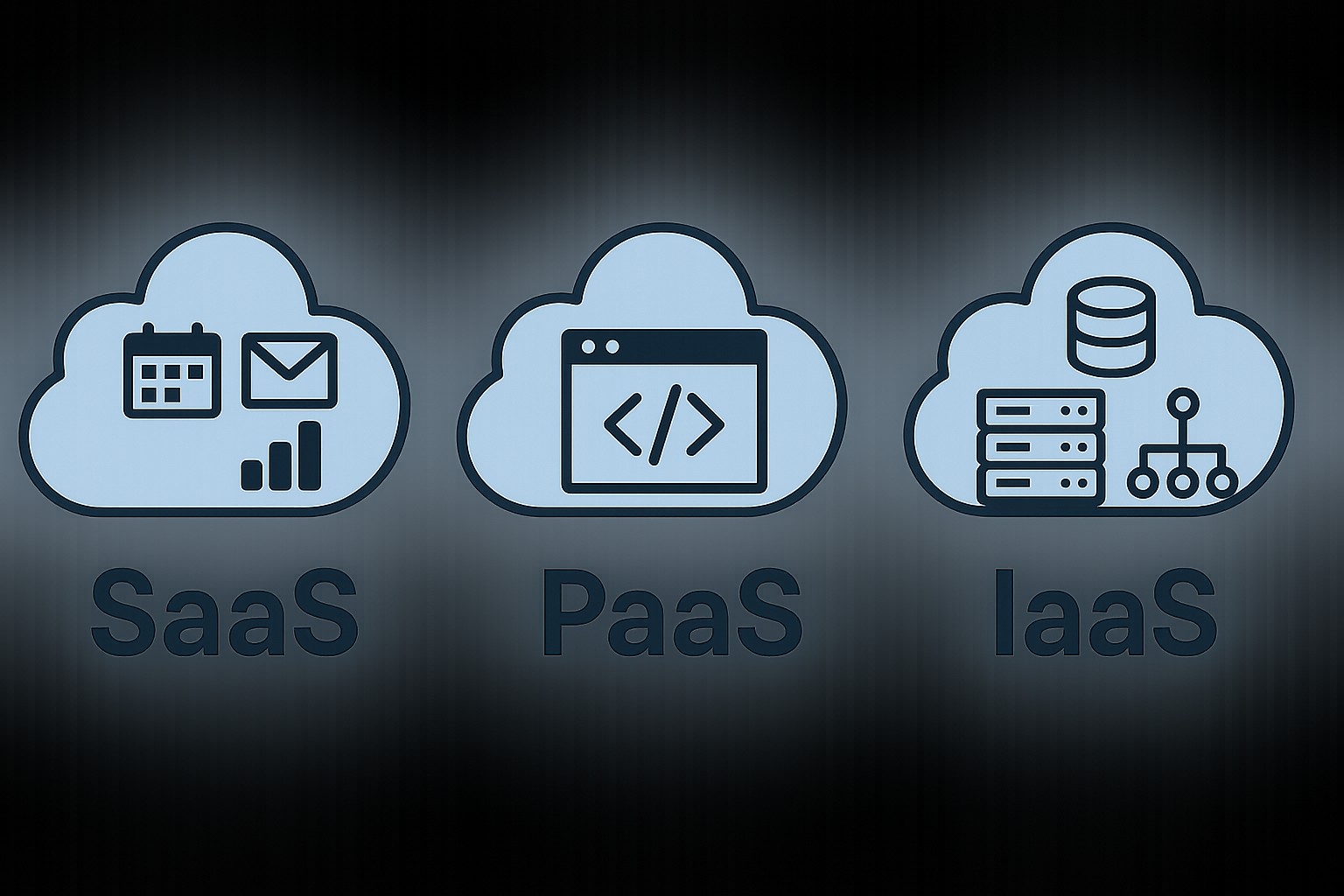
In today’s enterprise IT landscape, cloud service models define who is responsible for what. SaaS, PaaS, and IaaS describe three progressive layers of abstraction from vendor-managed software down to infrastructure. Understanding their differences helps organizations align vendor selection, security, cost, and operational control with business objectives.
Organizations often start with SaaS to accelerate delivery while outsourcing maintenance, then selectively adopt PaaS or IaaS as they require more customization, control, or integration with existing systems. The choice influences how teams collaborate, how data is managed, and how compliance requirements are met. In this article we will define each model, illustrate typical use cases, and discuss security considerations and cost implications for business-technical readers.
Beyond definitions, the cloud service model landscape is shaped by market dynamics, vendor ecosystems, and governance frameworks. For security-conscious buyers, the contract language, data handling practices, and audit readiness of each model are as important as technical capabilities. A layered evaluation that includes risk assessment, compliance mapping, and cost modeling helps ensure the chosen model aligns with strategic goals and regulatory requirements.
SaaS: Software as a Service
SaaS delivers software applications over the internet. Customers subscribe and access the software via web browsers or thin clients, while the provider handles the underlying infrastructure, application runtime, data security, and software updates.
For many organizations, SaaS is the fastest route to value because it eliminates most operational overhead and scales with demand. However, it also means relinquishing control over features, customization, and data residency to the provider, so selection and negotiation are critical to ensure alignment with business processes and compliance needs.
From an operational standpoint, SaaS incurs dependencies on the vendor for uptime, data backups, and disaster recovery, so customers should examine SLAs, data export options, and exit strategies. Enterprises often implement governance controls around access management, data leakage prevention, and vendor risk ratings to complement the software’s built-in controls.
- Zero or minimal upfront installation; users access the application from any supported device
- Multi-tenant architecture that shares resources securely across customers
- Automatic software updates, security patches, and feature releases managed by the vendor
- Integrated security and compliance controls configured by the provider, with customer data isolation
- Usage-based or subscription pricing, predictable budgets, and scalable licensing
- Limited customization options and configuration that adapt to standard workflows
- Vendor-managed data backup and disaster recovery processes
- Typical use cases include CRM, email, collaboration suites, and industry-specific line-of-business apps
PaaS: Platform as a Service
PaaS provides a development and runtime environment as a service. Developers deploy applications without managing the underlying server hardware, operating system, or runtime updates. The platform abstracts common tasks such as deployment, scaling, and monitoring, enabling faster delivery of software features.
PaaS is ideal when the organization wants to own application logic and data while offloading operational concerns. It supports teams that need reproducible environments, automated CI/CD pipelines, and built-in integrations with data stores, messaging, and identity services. The trade-off is a need for vendor-specific tooling and potential constraints on custom runtime configurations.
Procuring PaaS requires a careful look at portability and integration. Evaluations should cover API compatibility, data gravity, and the ease of migrating workloads to another platform if business needs change. Organizations typically establish standard templates for deployment, coding standards, and security dial-in that align with their broader cloud governance model.
- Managed runtime environments and application containers
- Automated scaling, load balancing, and health monitoring
- Integrated development tooling, build pipelines, and deployment automation
- Support for multiple programming languages and frameworks
- Pre-integrated services for data storage, messaging, authentication, and APIs
- Faster time-to-market through templated patterns and drop-in components
- Common examples include App Service, Heroku, Google App Engine, and OpenShift
IaaS: Infrastructure as a Service
IaaS offers virtualized computing resources over the internet, including virtual machines, storage, and networking. The customer bears most of the responsibility for the operating system, middleware, runtime, and application, while the provider supplies the elastic hardware and basic management features such as hypervisors and resource allocation.
IaaS provides the maximum level of control and flexibility among the three models, making it suitable for custom workloads, migration of existing applications, and environments requiring stringent security or compliance configurations. The main trade-off is the need for skilled operations teams to design, deploy, and secure the infrastructure effectively.
Migration planning for IaaS includes cost forecasting for run-rate, risk assessment for interdependencies, and a clear cutover strategy to minimize downtime. Enterprises often leverage reference architectures, security baselines, and automated hardening playbooks to reduce the time to achieve a compliant, production-ready environment.
- On-demand compute and storage resources with granular scaling
- Flexible networking options including virtual networks and firewall rules
- Pay-as-you-go pricing based on usage, with potential for reserved capacity discounts
- Customer-managed operating systems, patches, backups, and software stacks
- Support for lift-and-shift migration and legacy workloads
- Ideal for private cloud-like setups and highly customized environments
How to decide between SaaS, PaaS, and IaaS
Choosing the right model depends on business objectives, required control, and the organization’s maturity in DevOps and security practices. If speed of deployment and predictable costs are paramount, SaaS often wins. If you need rapid development cycles with integrated services and standardized runtimes, PaaS can offer a good balance. If you require full control over the stack, custom configurations, or the ability to run legacy applications, IaaS provides the most flexibility, albeit with greater management responsibility.
Consider data governance, regulatory constraints, and incident response plans as you map workloads to service models. A practical approach is to start with SaaS for non-differentiating functionality, progressively migrate or build on PaaS for core applications, and reserve IaaS for custom or sensitive workloads that demand bespoke security posture and performance tuning. The optimal strategy might also involve a hybrid or multi-cloud approach, combining models across different teams and data domains to optimize risk and cost.
For teams just starting with cloud, a staged migration plan with pilot projects can reveal organizational readiness gaps in security, operations, and cost management. Regular architecture reviews, cost tracking, and performance benchmarking help keep the strategy aligned with evolving business needs and regulatory expectations.
FAQ
What is the main difference between SaaS, PaaS, and IaaS?
The main differences lie in the level of abstraction and control. SaaS delivers fully functional software managed by the provider, with user control limited to data and settings. PaaS offers a development environment where the platform handles runtime, deployment, and scaling, while you manage the application logic and data. IaaS provides the most control, giving you access to virtual machines, storage, and networking so you can configure the stack from the operating system upward.
Which model is best for a typical SMB implementing a new CRM system?
For many SMBs seeking quick time-to-value with minimal maintenance, SaaS-based CRM is often the best starting point. If customization and integration with in-house systems are important, PaaS can offer a middle ground, and IaaS is appropriate only if there is a need to host a bespoke CRM architecture or to preserve legacy integrations that cannot be achieved through SaaS or PaaS.
How do security responsibilities differ across the three models?
Security responsibilities shift with the level of abstraction. In SaaS, the provider manages most security layers, including application-level protections, while customers handle data governance and access controls. In PaaS, the provider handles platform security, while developers manage application security and data. In IaaS, customers own the security of the operating system, applications, and data, with the provider securing the underlying hardware and virtualization layer. A clear shared responsibility model is essential to align controls with compliance requirements.